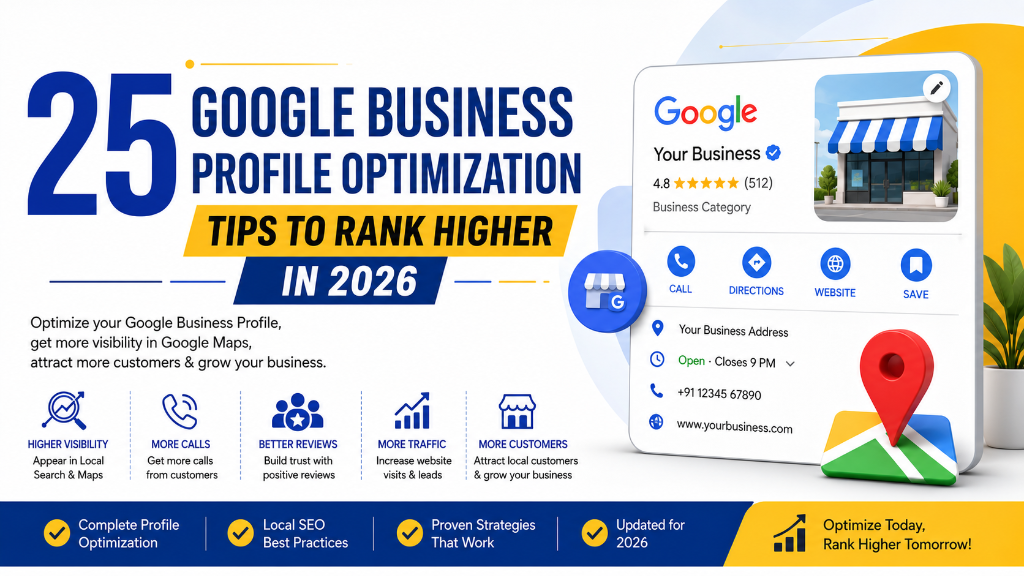
When customers search for a local business on Google, one of the first things they usually see isn't a website—it's a Google Business Profile.
Whether someone searches for "SEO consultant near me," "best dental clinic in Chennai," "wedding hall near me," or "coffee shop nearby," Google often displays local business listings before organic search results.
This makes Google Business Profile (GBP) one of the most valuable free marketing tools available for local businesses.
However, simply creating a business profile isn't enough. Many businesses claim their profile once and never update it again. They leave important information incomplete, ignore customer reviews, upload very few photos, and miss valuable opportunities to improve their local visibility.
Google rewards businesses that keep their profiles accurate, active, and helpful for users. In 2026, Local SEO continues to evolve, and Google Business Profile remains one of the strongest ranking signals for Google Maps and local search results.
Whether you run a restaurant, clinic, salon, gym, retail store, law firm, or digital marketing agency, optimizing your Google Business Profile can help you attract more nearby customers, generate more phone calls, and improve your local search presence.
In this guide, you'll learn 25 practical Google Business Profile optimization tips that will help improve your Google Maps rankings and strengthen your Local SEO strategy.
Table of Contents
- What Is Google Business Profile?
- Why Google Business Profile Is Important
- How Google Business Profile Affects Local SEO
-
25 Google Business Profile Optimization Tips
- 1. Claim and Verify Your Business Profile
- 2. Use Your Official Business Name
- 3. Select the Correct Primary Category
- 4. Add Relevant Secondary Categories
- 5. Complete Every Business Information Field
- 6. Write an SEO-Friendly Business Description
- 7. Add Accurate Business Hours
- 8. Keep Your NAP Consistent
- 9. Add Your Website URL
- 10. Enable Messaging and Appointment Booking
- 11. Upload High-Quality Business Photos
- 12. Add Team and Office Photos
- 13. Upload Videos Regularly
- 14. Publish Weekly Google Business Profile Posts
- 15. Showcase Products and Services
- 16. Ask Customers for Google Reviews
- 17. Respond to Every Review
- 18. Answer Customer Questions
- 19. Monitor the Q&A Section
- 20. Encourage Customers to Upload Photos
- 21. Track Google Business Profile Insights
- 22. Optimize for Local Keywords
- 23. Build Local Citations
- 24. Keep Your Profile Updated Regularly
- 25. Monitor Performance and Continuously Improve
- Common Google Business Profile Mistakes
- Google Business Profile Optimization Checklist
- Frequently Asked Questions (FAQs)
- Conclusion
What Is Google Business Profile?
Google Business Profile (formerly Google My Business) is a free business listing platform provided by Google that allows businesses to manage how they appear on Google Search and Google Maps.
Your profile displays important business information, including:
- Business Name
- Address
- Phone Number
- Website
- Business Hours
- Reviews
- Photos
- Products
- Services
- Questions & Answers
- Directions
When someone searches for your business or a service you offer, Google Business Profile helps customers quickly find the information they need. A well-optimized profile not only improves visibility but also builds trust with potential customers.
Why Google Business Profile Is Important
Google Business Profile plays a major role in Local SEO because it directly influences how your business appears in Google Maps and local search results. Here are some of its biggest benefits:
Improve Local Visibility
An optimized profile increases your chances of appearing in Google's Local Pack and Google Maps.
Generate More Phone Calls
Customers can call your business directly from your Google Business Profile without visiting your website.
Increase Website Traffic
Your profile provides a direct link to your website, helping drive qualified local traffic.
Build Customer Trust
Businesses with complete profiles, recent photos, and positive reviews appear more trustworthy.
Increase Store Visits
Many customers use Google Maps for directions before visiting a physical location. A well-maintained profile can increase foot traffic to your business.
How Google Business Profile Affects Local SEO
Google uses several signals when deciding which businesses appear in Google Maps. Your Google Business Profile contributes significantly to these ranking factors:
Relevance
Google analyzes how closely your profile matches the user's search. This includes categories, services, products, business description, and keywords.
Distance
Google considers how close your business is to the person searching. Although you cannot change your physical location, keeping your business information accurate helps Google understand your service area.
Prominence
Prominence measures how well-known and trusted your business appears online. Google evaluates customer reviews, ratings, website authority, local citations, business mentions, and profile activity. Businesses with stronger online signals often rank higher.
25 Google Business Profile Optimization Tips
Below are the most effective ways to optimize your Google Business Profile in 2026.
1. Claim and Verify Your Business Profile
The first step is claiming ownership of your Google Business Profile. Verification confirms that you're the legitimate business owner and unlocks all management features. Once verified, you'll be able to edit business information, respond to reviews, upload photos, publish updates, and view business insights. Without verification, your optimization options remain limited.
2. Use Your Official Business Name
Always use your real-world business name. Avoid adding extra keywords, city names (unless they're part of your official business name), or marketing slogans. Example: Use "Balamurugan SEO" instead of "Best SEO Consultant Chennai | No.1 SEO Expert". Google may suspend profiles that use keyword stuffing in business names.
3. Select the Correct Primary Category
Your primary category is one of the strongest Google Business Profile ranking factors. Choose the category that best represents your core business (e.g. "Dentist", "Digital Marketing Agency", "Wedding Photographer", "Fitness Center", "Restaurant"). Selecting the correct category helps Google understand your business.
4. Add Relevant Secondary Categories
Secondary categories allow Google to understand additional services you provide. For example, a digital marketing agency might also add secondary categories like "SEO Consultant", "Internet Marketing Service", "Advertising Agency", and "Website Designer". Choose only categories that genuinely describe your business.
5. Complete Every Business Information Field
Many businesses leave important profile sections blank. Complete every available section, including Address, Phone Number, Website, Business Hours, Products, Services, Attributes, Appointment Link, and Opening Date. A complete profile increases credibility and improves local rankings.
6. Write an SEO-Friendly Business Description
Your business description should explain what your business does, your experience, your services, your target customers, and your location. Naturally include relevant local keywords without overusing them. Keep the description clear, informative, and customer-focused.
7. Add Accurate Business Hours
Incorrect business hours create a poor customer experience. Regularly update opening hours, holiday hours, special hours, and temporary closures. Keeping this information accurate helps build trust with both customers and Google.
8. Keep Your NAP Consistent
NAP stands for Name, Address, Phone Number. Ensure your NAP information is identical across Google Business Profile, website, business directories, social media, and local listings. Consistency strengthens your Local SEO signals.
9. Add Your Website URL
Always include your official website in your profile. Your website should match your business information, load quickly, be mobile-friendly, and clearly display your services. Your Google Business Profile and website should support each other.
10. Enable Messaging and Appointment Booking
Google allows many businesses to enable messaging, online booking, and appointment scheduling. These features make it easier for customers to contact you directly from your profile. Reducing friction often increases inquiries and conversions.
11. Upload High-Quality Business Photos
Businesses with updated, high-quality photos generally receive more engagement than those with few or outdated images. Upload photos of your business exterior, interior, team members, products, services, office environment, and customer experience (with permission). Keep your gallery fresh by adding new photos regularly.
12. Add Team and Office Photos
Customers like to know who they'll be doing business with. Share photos of your team, office workspace, daily operations, events, and behind-the-scenes moments. Authentic photos help build trust and make your business appear more approachable.
13. Upload Videos Regularly
Videos make your profile more engaging. Consider uploading short videos showing office tours, product demonstrations, customer experiences, team introductions, or your service process. Keep videos clear, professional, and informative.
14. Publish Weekly Google Business Profile Posts
Google Business Profile allows businesses to publish updates directly on their listing. Share blog articles, offers, events, new products, new services, business announcements, and seasonal promotions. Posting regularly signals that your business is active.
15. Showcase Products and Services
Instead of simply listing your business category, add detailed products and services. For each service, include service name, description, price (if applicable), images, and relevant categories. This helps customers understand exactly what you offer.
16. Ask Customers for Google Reviews
Reviews are one of the strongest Local SEO ranking factors. After completing a service or sale, politely ask satisfied customers to leave a review. More genuine reviews improve trust, visibility, click-through rate, and Google Maps rankings. Never purchase fake reviews or offer incentives that violate Google's policies.
17. Respond to Every Review
Responding to reviews demonstrates that you value customer feedback. Reply to positive reviews, neutral reviews, and negative reviews. Professional responses help build credibility and encourage future customers to engage with your business.
18. Answer Customer Questions
Google Business Profile includes a Questions & Answers section where users can ask about your business. Common questions include pricing, business hours, services, parking availability, and appointment processes. Respond promptly with accurate and helpful information.
19. Monitor the Q&A Section
Don't wait for customers to answer questions incorrectly. Review your Q&A section regularly to correct misinformation, add frequently asked questions, provide official responses, and improve customer confidence. Keeping this section updated improves user experience.
20. Encourage Customers to Upload Photos
Customer-uploaded photos increase authenticity and engagement. Encourage happy customers to share pictures of products, services, completed projects, business locations, and events. User-generated content helps strengthen your profile's credibility.
21. Track Google Business Profile Insights
Google Business Profile provides valuable performance data. Review metrics such as search views, maps views, website clicks, phone calls, direction requests, and customer actions. These insights help you understand how customers find and interact with your business.
22. Optimize for Local Keywords
Use location-based keywords throughout your online presence (e.g. "SEO Consultant Chennai", "Wedding Hall in Salem", "Dental Clinic in Coimbatore", "Gym in Velachery"). Include these keywords naturally in website pages, Google Business Profile description, Google Posts, and location pages. Avoid keyword stuffing.
23. Build Local Citations
Local citations are online mentions of your business's Name, Address, and Phone Number. List your business on trusted platforms such as Bing Places, Apple Maps, Yelp, Justdial, Sulekha, and IndiaMART. Maintain consistent business information across all platforms.
24. Keep Your Profile Updated Regularly
Your Google Business Profile should never remain static. Regularly update business hours, photos, services, products, contact details, posts, and holiday schedules. An active profile sends positive signals to Google and your customers.
25. Monitor Performance and Continuously Improve
Optimization doesn't stop after setting up your profile. Review performance monthly by analyzing search visibility, review growth, customer interactions, website visits, calls, and direction requests. Use this data to identify opportunities and improve your local marketing strategy over time.
Common Google Business Profile Mistakes
Many businesses create a Google Business Profile but fail to optimize it effectively. Avoid these common mistakes:
- Using Keyword-Stuffed Business Names: Always use your official business name.
- Choosing the Wrong Business Category: Your primary category should accurately represent your core service.
- Ignoring Customer Reviews: Regularly respond to reviews to build trust and engagement.
- Leaving Profile Information Incomplete: Complete every available field to maximize visibility.
- Uploading Low-Quality Photos: Use clear, high-resolution images that accurately represent your business.
- Not Publishing Google Posts: Regular updates keep your profile active and informative.
- Forgetting to Update Business Hours: Incorrect hours create a poor customer experience.
Google Business Profile Optimization Checklist
Before considering your profile fully optimized, review this checklist:
- Business Profile claimed and verified
- Official business name used
- Correct primary category selected
- Relevant secondary categories added
- All business information completed
- SEO-friendly business description written
- Business hours updated
- NAP consistency maintained
- Website URL added
- Messaging and appointments enabled
- High-quality photos uploaded
- Team and office photos added
- Videos uploaded
- Weekly Google Posts published
- Products and services listed
- Customer reviews collected
- Every review responded to
- Questions answered
- Q&A section monitored
- Customer photos encouraged
- Insights reviewed regularly
- Local keywords optimized
- Local citations created
- Profile updated consistently
- Performance monitored monthly
Frequently Asked Questions (FAQs)
Google Business Profile (GBP) is a free business listing platform provided by Google that helps businesses appear in Google Search and Google Maps. It allows business owners to manage their online presence by displaying important information such as business name, address, phone number, website, reviews, photos, business hours, products, and services.
Yes. Google Business Profile is completely free to create and manage. Any eligible business can verify its profile and use the available features to improve its visibility in local search results without paying any subscription fee.
Improving your Google Business Profile ranking requires consistent optimization. Some of the most effective practices include verifying your profile, completing all sections, selecting correct categories, collecting genuine reviews, uploading high-quality photos regularly, publishing Google posts, maintaining consistent NAP info, building citations, and keeping it updated.
You should review your Google Business Profile at least once every week. Regular updates may include publishing new posts, uploading fresh photos, updating business hours, adding new products or services, responding to customer reviews, and answering customer questions.
Yes. Customer reviews are one of the most important Local SEO ranking factors. Google considers the number of reviews, overall rating, review quality, review freshness, and business responses. Businesses that consistently receive genuine, positive reviews often perform better in Google Maps and local search results.
Absolutely. A well-optimized Google Business Profile makes it easier for nearby customers to find your business, learn about your services, contact you, visit your website, request directions, and make purchasing decisions. For many local businesses, Google Business Profile is one of the most valuable sources of leads and customer inquiries.
Conclusion
Google Business Profile has become one of the most powerful tools for businesses that want to improve their local online visibility. Whether you're a small business owner, freelancer, service provider, or multi-location company, your Google Business Profile often creates the first impression customers have of your business.
Simply creating a profile isn't enough. Businesses that consistently update their information, publish posts, respond to reviews, upload fresh photos, and monitor their performance are far more likely to appear in Google Maps and local search results.
The 25 Google Business Profile Optimization Tips covered in this guide provide a practical framework for improving your local SEO. From choosing the right business categories and maintaining accurate information to collecting reviews and analyzing performance, each optimization contributes to a stronger local presence.
Remember that Local SEO is an ongoing process. Customer expectations change, competitors improve, and Google continues refining its local search algorithms. By reviewing and optimizing your Google Business Profile regularly, you can build trust, attract more qualified customers, and achieve sustainable growth.
If your goal is to increase phone calls, website visits, direction requests, and local leads, make Google Business Profile optimization a regular part of your digital marketing strategy.
Ready to Improve Your Google Business Profile? A well-optimized Google Business Profile can help your business reach more local customers, improve visibility in Google Maps, and generate more calls, website visits, and enquiries. Small updates made consistently can have a significant impact on your local search performance over time.
At balamurugan.in, you'll find practical SEO resources, in-depth guides, and professional SEO services designed to help businesses strengthen their online presence and achieve long-term growth.