A fast website doesn't just create a better user experience—it also supports better SEO performance.
Imagine clicking on a webpage that takes several seconds to load, shifts unexpectedly while you're trying to click a button, or responds slowly when you interact with it. Most users won't wait. They'll leave and look for another website that offers a smoother experience.
This is exactly why Core Web Vitals have become one of Google's most important page experience signals.
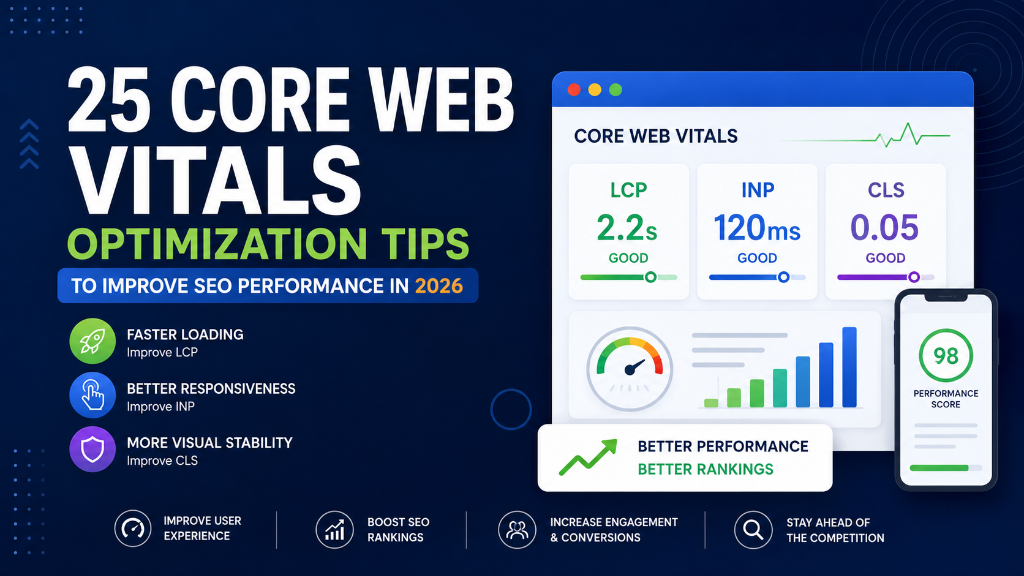
Core Web Vitals measure how users experience your website by evaluating loading performance, responsiveness, and visual stability. Rather than focusing only on technical metrics, Google measures how quickly visitors can view content, interact with the page, and browse without frustrating layout shifts.
Whether you run a business website, blog, eCommerce store, SaaS platform, or portfolio website, improving Core Web Vitals helps create a faster, more enjoyable experience for your visitors.
Although Core Web Vitals alone won't guarantee higher rankings, they contribute to a healthier website, improved engagement, lower bounce rates, and better overall SEO performance.
In this guide, you'll learn 25 practical Core Web Vitals optimization tips that will help improve your website's speed, usability, and search performance in 2026.
Table of Contents
- What Are Core Web Vitals?
- Why Core Web Vitals Are Important
- Understanding LCP, INP & CLS
-
25 Core Web Vitals Optimization Tips
- 1. Measure Your Core Web Vitals Regularly
- 2. Optimize Largest Contentful Paint (LCP)
- 3. Improve Interaction to Next Paint (INP)
- 4. Reduce Cumulative Layout Shift (CLS)
- 5. Improve Server Response Time
- 6. Compress Images
- 7. Use Next-Generation Image Formats
- 8. Enable Lazy Loading
- 9. Define Image Dimensions
- 10. Optimize Hero Images
- 11. Minify CSS
- 12. Minify JavaScript
- 13. Remove Unused CSS
- 14. Eliminate Render-Blocking Resources
- 15. Reduce Third-Party Scripts
- 16. Enable Browser Caching
- 17. Use a Content Delivery Network (CDN)
- 18. Optimize Web Fonts
- 19. Enable GZIP or Brotli Compression
- 20. Reduce DOM Size
- 21. Optimize Mobile Performance
- 22. Monitor Core Web Vitals in Google Search Console
- 23. Test Every Major Website Update
- 24. Prioritize User Experience Over Scores
- 25. Continuously Monitor and Improve Performance
- Common Core Web Vitals Mistakes
- Final Core Web Vitals Checklist
- Frequently Asked Questions (FAQs)
- Conclusion
- Ready to Improve Your Website Performance?
What Are Core Web Vitals?
Core Web Vitals are a set of website performance metrics developed by Google to measure real user experience.
Instead of only evaluating technical performance, Core Web Vitals focus on how users actually experience your website.
Google currently measures three primary metrics:
- Largest Contentful Paint (LCP)
- Interaction to Next Paint (INP)
- Cumulative Layout Shift (CLS)
Together, these metrics evaluate whether your website loads quickly, responds promptly, and remains visually stable.
A website that performs well in these areas provides a better experience for visitors and aligns more closely with Google's page experience recommendations.
Why Core Web Vitals Are Important
Core Web Vitals affect more than just website speed. They influence how users interact with your website and whether they choose to stay or leave.
Here are some of the biggest benefits of optimizing Core Web Vitals:
Improve User Experience
Fast, responsive, and stable websites create a better browsing experience. Users are more likely to remain on websites that load quickly and behave predictably.
Reduce Bounce Rate
Slow-loading pages often cause visitors to leave before viewing your content. Improving Core Web Vitals helps reduce bounce rates by delivering information faster.
Improve Website Performance
Optimizing performance benefits loading speed, mobile usability, navigation, and user engagement, creating a smoother browsing experience.
Support Better SEO
Core Web Vitals are part of Google's Page Experience signals. While content quality remains the most important ranking factor, page experience helps differentiate websites offering similar content.
Increase Conversions
A faster website improves customer satisfaction. Whether your goal is sales, lead generation, bookings, or newsletter signups, better website performance leads to higher conversion rates.
Understanding LCP, INP & CLS
Google evaluates three Core Web Vitals metrics. Understanding each one helps prioritize optimization efforts.
Largest Contentful Paint (LCP)
LCP measures how long it takes for the largest visible element on a webpage to load. Examples include hero images, large banners, main headings, and featured images. Google recommends LCP ≤ 2.5 seconds. A slow LCP often results from large images, slow servers, render-blocking CSS, and heavy JavaScript.
Interaction to Next Paint (INP)
INP measures how quickly a webpage responds when users interact with it, such as clicking buttons, opening menus, filling forms, or selecting tabs. Google recommends INP ≤ 200 milliseconds. Slow responsiveness usually occurs because JavaScript blocks the main thread, heavy scripts, large DOM size, or excessive third-party code.
Cumulative Layout Shift (CLS)
CLS measures visual stability. It tracks unexpected layout movement while a page loads, such as images loading without dimensions, ads pushing content, buttons moving, or fonts changing layout. Google recommends CLS ≤ 0.1. Reducing layout shifts creates a more predictable browsing experience.
25 Core Web Vitals Optimization Tips
Below are the most effective strategies for improving your website's Core Web Vitals in 2026.
1. Measure Your Core Web Vitals Regularly
Before making improvements, understand your current performance. Monitor Core Web Vitals using reliable performance tools and review both lab data and real user data whenever possible. Track metrics such as LCP, INP, CLS, and mobile or desktop performance. Regular monitoring helps identify problems before they affect user experience.
2. Optimize Largest Contentful Paint (LCP)
LCP is often affected by slow-loading hero content. Improve it by compressing hero images, optimizing server response, preloading important resources, removing render-blocking CSS, and reducing unnecessary scripts. The faster your main content appears, the better the user experience.
3. Improve Interaction to Next Paint (INP)
A responsive website feels much faster to visitors. Reduce interaction delays by optimizing JavaScript execution, splitting large tasks, reducing third-party scripts, minimizing browser workload, and prioritizing user interactions. Fast interactions improve overall usability.
4. Reduce Cumulative Layout Shift (CLS)
Unexpected page movement frustrates users. Prevent layout shifts by setting image dimensions, reserving space for ads, defining video sizes, avoiding dynamically injected content, and using stable font loading techniques. A stable page creates a more professional experience.
5. Improve Server Response Time
Even a perfectly optimized website performs poorly if the server responds slowly. Improve server performance by choosing quality hosting, optimizing database queries, enabling caching, reducing server workload, and using modern server technologies. Faster servers improve every Core Web Vitals metric.
6. Compress Images
Large images are one of the biggest causes of slow websites. Compress every image before uploading. Benefits include faster loading, lower bandwidth usage, better mobile performance, and improved LCP. Always balance quality with file size.
7. Use Next-Generation Image Formats
Modern image formats offer better compression than traditional JPEG and PNG files. Whenever possible, use WebP or AVIF formats. These formats reduce file size while maintaining excellent image quality.
8. Enable Lazy Loading
Not every image needs to load immediately. Lazy loading delays off-screen images until users scroll near them. Benefits include faster initial loading, reduced bandwidth usage, better LCP, and an improved mobile experience. Only load content when users actually need it.
9. Define Image Dimensions
Always specify image width and height. This prevents unexpected layout movement while pages load, reducing CLS, visual instability, and user frustration. Every important image should reserve its display space before loading.
10. Optimize Hero Images
The hero image is often the largest visible element on a webpage. Optimize it by compressing the image, using modern formats, serving responsive sizes, preloading when appropriate, and avoiding unnecessarily large files. A faster hero image significantly improves Largest Contentful Paint.
11. Minify CSS
CSS files often contain unnecessary spaces, comments, and formatting that increase file size. Minifying CSS removes this extra code without affecting functionality. Benefits include faster page loading, smaller file sizes, improved rendering speed, and better LCP performance.
12. Minify JavaScript
Large JavaScript files can delay page rendering and slow user interactions. Minifying JavaScript removes unnecessary characters and reduces file size. Benefits include faster downloads, improved browser processing, better INP, and faster page rendering.
13. Remove Unused CSS
Many websites load CSS that isn't actually used on a page. Unused CSS increases download size and delays rendering. Review your stylesheets and remove unused frameworks, old plugins, deprecated styles, and duplicate CSS. Cleaner stylesheets improve overall website performance.
14. Eliminate Render-Blocking Resources
Render-blocking CSS and JavaScript prevent browsers from displaying content quickly. Improve loading by deferring non-critical JavaScript, inlining critical CSS, loading scripts asynchronously, and reducing unnecessary dependencies. Displaying visible content sooner improves LCP.
15. Reduce Third-Party Scripts
External scripts often slow websites. Examples include chat widgets, marketing tools, tracking pixels, social media embeds, and advertising scripts. Audit third-party scripts regularly and remove anything that doesn't provide measurable business value.
16. Enable Browser Caching
Browser caching stores website resources on visitors' devices. When users return, many files load from local storage instead of downloading again. Benefits include faster repeat visits, lower server load, improved page speed, and better user experience.
17. Use a Content Delivery Network (CDN)
A CDN distributes your website across multiple servers worldwide. Visitors download content from the server closest to them. Benefits include lower latency, faster loading, better global performance, and reduced server workload.
18. Optimize Web Fonts
Custom fonts can delay page rendering if not optimized. Best practices include using modern font formats (WOFF2), limiting font weights, preloading important fonts, removing unused fonts, and avoiding loading excessive font families.
19. Enable GZIP or Brotli Compression
Compression significantly reduces the size of website files sent from the server. Compress HTML, CSS, JavaScript, JSON, and XML. Brotli generally provides better compression than GZIP when supported. Smaller files result in faster page loads.
20. Reduce DOM Size
A large Document Object Model (DOM) requires more browser processing. Simplify your page structure by removing unnecessary HTML, reducing nested elements, eliminating duplicate components, and keeping layouts clean. A smaller DOM improves rendering and responsiveness.
21. Optimize Mobile Performance
Google primarily evaluates the mobile version of your website. Ensure mobile users experience fast loading, smooth scrolling, responsive layouts, readable typography, and touch-friendly buttons. A better mobile experience supports both SEO and user satisfaction.
22. Monitor Core Web Vitals in Google Search Console
Google Search Console provides a dedicated Core Web Vitals report based on real user data. Review Good URLs, URLs needing improvement, and Poor URLs for mobile and desktop. Address reported issues promptly to maintain a healthy website.
23. Test Every Major Website Update
Website redesigns, plugin updates, or new features can unintentionally affect performance. After significant changes, test the homepage, blog pages, service pages, product pages, and landing pages to detect issues early.
24. Prioritize User Experience Over Scores
Achieving a perfect performance score shouldn't be your only goal. Focus on creating a website that loads quickly, responds smoothly, remains visually stable, and delivers valuable content. Real user satisfaction is more important than chasing perfect numbers.
25. Continuously Monitor and Improve Performance
Core Web Vitals optimization isn't a one-time task. Create a regular performance review schedule. Monitor LCP, INP, CLS, page speed, user behavior, and website updates. Continuous improvements help maintain a fast and reliable website.
Common Core Web Vitals Mistakes
Many websites struggle with Core Web Vitals because they overlook simple performance issues. Avoid these common mistakes:
- Uploading Large Images: Oversized images significantly slow page loading.
- Ignoring Mobile Performance: Desktop performance alone isn't enough. Optimize for mobile users first.
- Loading Too Many Third-Party Scripts: Every external script affects loading speed and responsiveness.
- Using Heavy Themes and Plugins: Remove unnecessary plugins and choose lightweight themes.
- Forgetting to Test After Updates: Every website update can introduce new performance issues.
- Chasing Perfect Scores Instead of Better UX: Focus on delivering a smooth, enjoyable user experience.
- Never Monitoring Performance: Website performance changes over time. Regular monitoring is essential.
Final Core Web Vitals Checklist
Before considering your optimization complete, review the following checklist:
- Core Web Vitals measured regularly
- Largest Contentful Paint optimized
- Interaction to Next Paint improved
- Cumulative Layout Shift reduced
- Server response time optimized
- Images compressed
- WebP or AVIF images used
- Lazy loading enabled
- Image dimensions defined
- Hero images optimized
- CSS minified
- JavaScript minified
- Unused CSS removed
- Render-blocking resources reduced
- Third-party scripts optimized
- Browser caching enabled
- Content Delivery Network (CDN) configured
- Web fonts optimized
- GZIP or Brotli compression enabled
- DOM size reduced
- Mobile performance optimized
- Core Web Vitals monitored in Google Search Console
- Website tested after major updates
- User experience prioritized
- Performance monitored continuously
Frequently Asked Questions (FAQs)
Core Web Vitals are a set of performance metrics introduced by Google to measure real-world user experience on a website. They focus on three key areas: Largest Contentful Paint (LCP) for loading, Interaction to Next Paint (INP) for responsiveness, and Cumulative Layout Shift (CLS) for visual stability.
Yes. Core Web Vitals are part of Google's Page Experience signals. While high-quality content remains the most important ranking factor, websites that provide a faster, smoother, and more stable user experience have an advantage when competing with similar content.
Google recommends an LCP of 2.5 seconds or less, an INP of 200 milliseconds or less, and a CLS of 0.1 or less. Meeting these benchmarks helps provide a positive user experience.
You can monitor Core Web Vitals using tools such as Google Search Console, Google PageSpeed Insights, Lighthouse, Chrome DevTools, and the Chrome User Experience Report (CrUX).
Every website can benefit from Core Web Vitals optimization, including business websites, eCommerce stores, blogs, portfolio websites, SaaS platforms, and news websites. A faster, more responsive site improves user satisfaction regardless of industry.
Core Web Vitals should be reviewed regularly, especially after website redesigns, plugin updates, theme changes, new feature releases, large content updates, or hosting migrations. A monthly performance review is recommended.
Conclusion
Core Web Vitals have become an essential part of building a high-performing website. As Google continues to prioritize user experience, websites that load quickly, respond smoothly, and remain visually stable are more likely to keep visitors engaged and perform well in search.
The 25 Core Web Vitals Optimization Tips shared in this guide provide a practical roadmap for improving your website's performance. From optimizing images and reducing render-blocking resources to improving server response times and monitoring performance regularly, each step contributes to a faster and more reliable browsing experience.
Remember that Core Web Vitals optimization is not a one-time project. As your website evolves with new content, plugins, features, and design updates, performance should be reviewed and refined continuously. Regular monitoring helps identify issues early and ensures your website continues to meet Google's expectations.
Ultimately, the goal isn't simply to achieve better performance scores—it's to create a website that visitors enjoy using. A fast, responsive, and stable experience builds trust, encourages engagement, and supports long-term SEO success.
If you're serious about improving your website's technical performance, make Core Web Vitals optimization a regular part of your SEO strategy.
Ready to Improve Your Website Performance?
A fast website creates a better experience for every visitor. By optimizing Core Web Vitals, you can improve page speed, reduce layout shifts, increase responsiveness, and build a stronger technical SEO foundation that supports long-term growth.
At balamurugan.in, you'll find practical SEO resources, in-depth technical guides, and professional SEO services designed to help businesses improve website performance and search visibility. For more information, visit the official W3C Standards guidelines and MDN Web Docs.