Table of Contents
- Introduction
- What Is Google Search Console?
- Why Google Search Console Matters for SEO
- 1. Verify Your Website Properly
- 2. Monitor the Performance Report
- 3. Identify High-Impression, Low-CTR Pages
- 4. Optimize Keywords Ranking on Page Two
- 5. Submit an XML Sitemap
- 6. Use URL Inspection
- 7. Monitor Page Indexing
- 8. Fix Crawl Errors
- 9. Review Mobile Usability
- 10. Improve Core Web Vitals
- 11. Compare Performance by Date Range
- 12. Analyze Search Queries
- 13. Monitor Top Performing Pages
- 14. Improve Low-Performing Pages
- 15. Monitor Backlink Reports
- 16. Strengthen Internal Linking
- 17. Review Canonical URLs
- 18. Monitor Rich Results
- 19. Check Manual Actions
- 20. Monitor Security Issues
- 21. Track Seasonal Trends
- 22. Optimize Pages with High CTR Potential
- 23. Monitor Google Discover Performance
- 24. Export Search Console Data
- 25. Make Google Search Console Part of Your Daily SEO Routine
- Common Google Search Console Mistakes
- Google Search Console Optimization Checklist
-
Frequently Asked Questions (FAQs)
- 1. What is Google Search Console?
- 2. Is Google Search Console free?
- 3. How often should I check Google Search Console?
- 4. Can Google Search Console improve rankings?
- 5. What is the difference between Google Search Console and Google Analytics 4?
- 6. Why are some pages not indexed?
- 7. Does Google Search Console show all keywords?
- Conclusion
- Improve Your Website's SEO with Google Search Console
Introduction
Google Search Console (GSC) is one of the most powerful free SEO tools available for website owners, marketers, and SEO professionals. It provides valuable insights into how your website performs in Google Search, helping you identify opportunities to improve rankings, increase organic traffic, and resolve technical issues before they impact your visibility.
Whether you're managing a business website, an eCommerce store, or a personal blog, Google Search Console gives you direct access to Google's data, allowing you to monitor search performance, indexing, page experience, and website health.
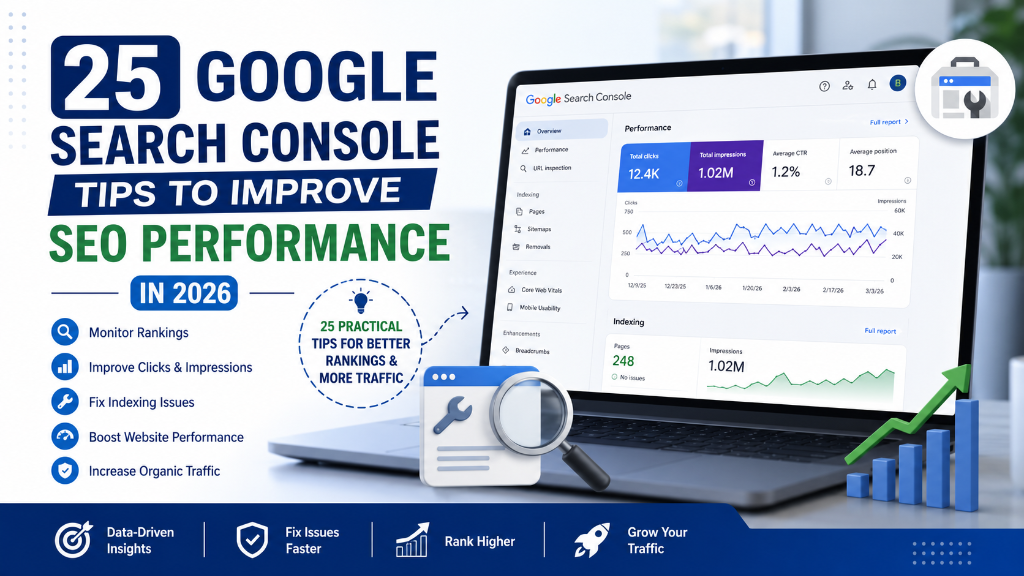
In this guide, you'll learn 25 Google Search Console Tips to Improve SEO Performance in 2026. These practical tips will help you make better SEO decisions and maximize your website's organic growth.
What Is Google Search Console?
Google Search Console (GSC) is a free tool provided by Google that helps website owners monitor, maintain, and optimize their website's presence in Google Search.
It allows you to:
- Track organic search performance
- Monitor keyword rankings
- Identify indexing issues
- Submit XML sitemaps
- Inspect URLs
- Fix crawl errors
- Improve Core Web Vitals
- Analyze mobile usability
- Monitor backlinks
- Receive Google alerts about website issues
GSC acts as a direct communication channel between your website and Google.
Why Google Search Console Matters for SEO
Google Search Console provides first-party data directly from Google, making it one of the most reliable tools for SEO analysis.
Benefits include:
- Understanding how users find your website
- Identifying pages that need optimization
- Fixing technical SEO issues
- Monitoring indexing status
- Improving click-through rates (CTR)
- Tracking keyword performance
- Measuring SEO growth over time
Regularly reviewing GSC data helps improve your website's visibility and long-term search performance.
1. Verify Your Website Properly
Before using Search Console, ensure your website is correctly verified. Recommended verification methods include: DNS record, HTML file upload, Google Tag Manager, Google Analytics, and HTML meta tag. Domain property verification provides the most complete data across all protocols and subdomains.
2. Monitor the Performance Report
The Performance report is one of the most valuable sections in GSC. It tracks Total Clicks, Total Impressions, Average CTR, and Average Position. Review this report regularly to understand how your website performs in Google Search.
3. Identify High-Impression, Low-CTR Pages
Pages receiving many impressions but few clicks represent excellent optimization opportunities. You can improve them by rewriting title tags, enhancing meta descriptions, matching search intent, and adding structured data. Small improvements can significantly increase organic traffic.
4. Optimize Keywords Ranking on Page Two
Keywords ranking between positions 11 and 20 often require only minor improvements to reach the first page. Strengthen these pages by updating content, improving internal links, adding helpful information, and refreshing outdated sections. These keywords often deliver the quickest SEO wins.
5. Submit an XML Sitemap
An XML sitemap helps Google discover your important pages more efficiently. Ensure your sitemap includes indexable pages, updates automatically, excludes duplicate URLs, and is submitted in Google Search Console. A well-maintained sitemap supports faster indexing.
6. Use URL Inspection
Whenever you publish or update a page, inspect the URL. URL Inspection helps you confirm indexing status, detect crawl issues, view canonical information, and request indexing after updates. This tool is invaluable for troubleshooting.
7. Monitor Page Indexing
Regularly review the Page Indexing report. Look for: Crawled – Currently Not Indexed, Discovered – Currently Not Indexed, Duplicate Pages, Soft 404 Errors, and Redirect Issues. Resolving indexing problems improves search visibility.
8. Fix Crawl Errors
Google cannot rank pages it cannot crawl effectively. Monitor for server errors, broken links, redirect loops, DNS issues, and blocked resources. A technically healthy website performs better in search.
9. Review Mobile Usability
Although Google primarily uses mobile-first indexing, your website should still deliver an excellent mobile experience. Ensure responsive design, readable text, proper spacing, easy navigation, and fast loading. Mobile optimization supports better rankings.
10. Improve Core Web Vitals
Use Search Console to identify pages with poor: Largest Contentful Paint (LCP), Interaction to Next Paint (INP), and Cumulative Layout Shift (CLS). Improving these metrics enhances both user experience and SEO.
11. Compare Performance by Date Range
One of the most effective ways to measure SEO progress is by comparing different time periods. Use the Compare feature in the Performance report to analyze: Last 28 days vs Previous 28 days, Last 3 months vs Previous 3 months, or Year over Year (YoY) metrics. Track changes in clicks, impressions, CTR, and average position to identify growth trends and measure the impact of your SEO efforts.
12. Analyze Search Queries
Your Search Queries report shows the exact keywords users search before visiting your website. Review queries to find new keyword opportunities, identify long-tail keywords, discover content gaps, and understand user intent. Create new articles around high-impression keywords with growing demand.
13. Monitor Top Performing Pages
Regularly identify pages generating the most organic traffic. Analyze highest clicks, highest impressions, best CTR, and best average position. Learn why these pages perform well and apply similar strategies to other content.
14. Improve Low-Performing Pages
Not every page ranks well. Use Search Console to identify pages with low clicks, low impressions, declining traffic, and poor rankings. Improve them by updating content, adding FAQs, improving internal links, refreshing metadata, and expanding the topic. Content optimization often produces quick improvements.
15. Monitor Backlink Reports
Google Search Console provides valuable backlink information. Review top linked pages, top linking websites, internal links, and anchor text distribution. Understanding your backlink profile helps improve your link-building strategy.
16. Strengthen Internal Linking
The Internal Links report helps identify important pages. Ensure your most valuable pages receive sufficient internal links. A strong internal linking structure improves crawlability and topical authority.
17. Review Canonical URLs
Sometimes Google selects a different canonical page than expected. Use URL Inspection to verify the user-declared canonical and Google-selected canonical. If they differ unexpectedly, review canonical tags, duplicate pages, and internal links. Proper canonicalization prevents duplicate content issues.
18. Monitor Rich Results
If your website uses Schema Markup, regularly review enhancement reports. Check for FAQ, Breadcrumb, Product, Article, and Review Schema. Fix any validation errors to improve eligibility for rich search results.
19. Check Manual Actions
Manual Actions can significantly affect search visibility. Review this section regularly to ensure no spam penalties, no unnatural links, and no policy violations. If issues appear, resolve them promptly and submit a reconsideration request when appropriate.
20. Monitor Security Issues
Google alerts website owners about security problems. Regularly check for malware, hacked content, phishing, and security vulnerabilities. A secure website protects users and maintains trust.
21. Track Seasonal Trends
Some industries experience seasonal fluctuations. Compare data across different periods to identify seasonal traffic increases, holiday performance, annual trends, and industry demand shifts. Understanding seasonality helps improve content planning.
22. Optimize Pages with High CTR Potential
Some pages rank well but receive fewer clicks than expected. Improve them by writing stronger titles, updating meta descriptions, adding publication dates (when relevant), and using compelling value propositions. Better CTR can lead to increased organic traffic.
23. Monitor Google Discover Performance
If your website receives Discover traffic, monitor the Discover Performance report. Review clicks, impressions, CTR, and top-performing Discover pages. Analyze successful content and create similar high-quality articles.
24. Export Search Console Data
Export reports regularly for deeper analysis. You can combine GSC data with Google Analytics 4, Looker Studio, Excel, or Google Sheets. Custom reports help uncover trends and support better SEO decisions.
25. Make Google Search Console Part of Your Daily SEO Routine
The best SEO professionals use Search Console consistently. Create a routine to check performance reports, monitor indexing, review crawl issues, analyze keyword trends, track Core Web Vitals, monitor backlinks, and review Discover performance. Small improvements made consistently produce significant long-term SEO results.
Common Google Search Console Mistakes
Avoid these common mistakes that can limit your SEO performance:
- Ignoring Performance Reports: Many website owners verify GSC but rarely review their data.
- Never Updating XML Sitemaps: Keep your sitemap current as new content is published.
- Ignoring Indexing Errors: Pages that aren't indexed cannot generate organic traffic.
- Not Reviewing URL Inspection: Always inspect important pages after publishing or making major updates.
- Ignoring Core Web Vitals: Poor page experience can reduce user satisfaction and impact SEO.
- Not Monitoring Manual Actions: A manual penalty can significantly reduce your search visibility if left unresolved.
- Focusing Only on Rankings: Clicks, impressions, CTR, and indexing health are equally important metrics.
- Not Using Search Console Regularly: Google Search Console provides valuable insights only when reviewed consistently.
Google Search Console Optimization Checklist
Before completing your SEO review, ensure you've covered the following:
- Verify your website correctly
- Monitor the Performance report
- Improve high-impression, low-CTR pages
- Optimize page-two keywords
- Submit an XML sitemap
- Use URL Inspection after updates
- Monitor Page Indexing
- Fix crawl errors
- Ensure mobile friendliness
- Improve Core Web Vitals
- Compare performance over time
- Analyze search queries
- Review top-performing pages
- Optimize low-performing content
- Monitor backlink reports
- Strengthen internal linking
- Check canonical URLs
- Fix Rich Results errors
- Monitor Manual Actions
- Review Security Issues
- Track seasonal trends
- Improve CTR
- Monitor Google Discover performance
- Export data for analysis
- Make Google Search Console part of your regular SEO workflow
Frequently Asked Questions (FAQs)
Google Search Console (GSC) is a free SEO tool provided by Google that helps website owners monitor, maintain, and improve their website's performance in Google Search. It provides valuable insights into search traffic, indexing, technical issues, and overall website health.
Yes. Google Search Console is completely free to use. Anyone with a verified website can access data about their site's search performance, indexing status, backlinks, and technical SEO without any cost.
For the best SEO results, review your Google Search Console account at least 2–3 times per week. For larger websites or eCommerce stores, daily monitoring is recommended to quickly identify indexing issues, crawl errors, ranking changes, traffic fluctuations, and security alerts. Regular monitoring helps prevent small issues from becoming major SEO problems.
Google Search Console does not directly improve rankings. However, it provides the data you need to identify and fix SEO issues that can improve your website's performance over time. For example, you can improve low CTR pages, fix indexing issues, resolve crawl errors, optimize keywords, enhance Core Web Vitals, and strengthen technical SEO. Using these insights effectively can lead to better rankings and increased organic traffic.
Although both tools measure website performance, they serve different purposes. Google Search Console focuses on organic search performance, search queries, clicks and impressions, indexing, technical SEO, and Google Search visibility. Google Analytics 4 (GA4) focuses on user behavior, traffic sources, engagement, conversions, events, and revenue. Using both tools together provides a complete understanding of your website's performance.
Common reasons include: Crawled – Currently Not Indexed, duplicate content, noindex tags, poor content quality, blocked by robots.txt, redirect issues, and canonical conflicts. The Page Indexing report helps identify the exact reason and provides guidance for resolving indexing problems.
No. Google Search Console displays many of the search queries that generate impressions and clicks, but it does not include every keyword. Despite this limitation, it remains one of the most reliable sources of first-party keyword data because the information comes directly from Google.
Conclusion
Google Search Console is one of the most valuable tools available for improving your website's SEO performance. It provides direct insights from Google, helping you understand how your site appears in search results, how users find your content, and which technical issues may be affecting your visibility.
The 25 Google Search Console Tips in this guide offer a practical framework for monitoring search performance, improving click-through rates, resolving indexing issues, and strengthening your overall SEO strategy. Whether you're optimizing an existing website or launching a new one, regularly reviewing Search Console data enables you to make informed decisions based on real search performance.
SEO is an ongoing process, and Google Search Console should be a core part of your workflow. By consistently monitoring your website, fixing technical issues, and optimizing content based on search insights, you'll be better positioned to achieve sustainable organic growth in 2026 and beyond.
Improve Your Website's SEO with Google Search Console
Google Search Console is more than a reporting tool—it's an essential resource for understanding your website's performance and identifying opportunities for continuous improvement.
At balamurugan.in, we help businesses leverage Google Search Console alongside proven SEO strategies to improve rankings, resolve technical issues, and increase qualified organic traffic. For additional details, refer to the Google Search Central documentation.