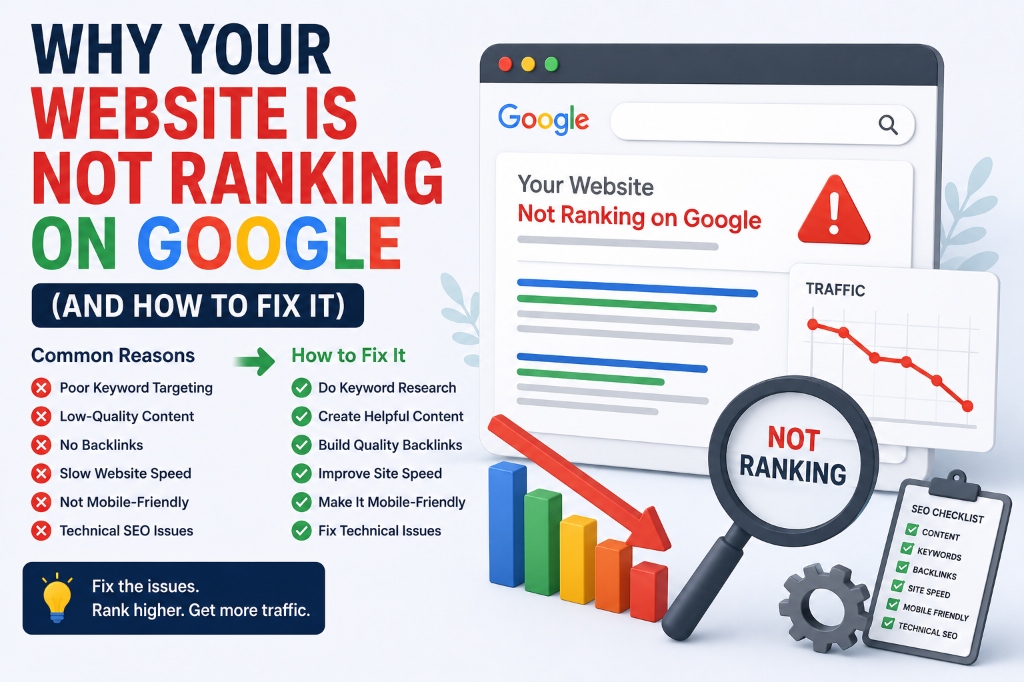
It can be frustrating when you invest time and budget into a professional website, only to find it not ranking on Google. Ranking issues are usually caused by specific technical barriers or content gaps that search bots encounter when crawling your pages.
Let's perform a technical SEO audit to diagnose why your site is not ranking and learn how to implement rapid fixes.
1. Verify Crawlability and Indexation
The most common reason for a site not ranking is that Google cannot crawl it. Log into Google Search Console and check the Indexing report. Ensure your robots.txt file is not blocking crawlers, and remove any accidental 'noindex' tags from your meta heads.
2. Fix Speed Performance and Core Web Vitals
Google prioritizes fast websites. A slow page speed leads to high bounce rates, which tells the algorithm that users have a poor experience on your site. Optimize large images, leverage caching, and clean up render-blocking JavaScript files.
3. Elevate Content Quality and E-E-A-T
Google's Helpful Content system downranks thin, duplicate, or AI-generated text that offers no unique value. Showcase Experience, Expertise, Authoritativeness, and Trustworthiness (E-E-A-T) by citing sources, using original case studies, and writing thorough guides.
| Ranking Issue | Diagnosis Method | Actionable Fix |
|---|---|---|
| Indexing Blocked | Check Search Console 'Excluded' page list | Remove 'noindex' tags, submit XML sitemap |
| Poor Page Speed | Run PageSpeed Insights audit | Compress images to WebP, minify scripts |
| Thin Content | Analyze content length vs competitors | Consolidate thin pages, add structured FAQs |
"If your site isn't indexed, it doesn't exist. Check Google Search Console first—nearly 80% of ranking issues start with crawl errors."
4. Build High-Quality Backlink Authority
Backlinks are search engines' primary trust signals. If your website has zero links pointing to it from other reputable blogs, Google will view your domain as low authority. Focus on guest blogging, digital PR, and creating link-worthy assets.
5. Repair Bad Internal Link Structures
Make sure your homepage links directly to your most important service pages. If pages are 'orphaned' (having no internal links pointing to them), crawler bots will fail to find them, preventing them from ranking.
Key Takeaway
Conduct a quick site audit by searching 'site:yourdomain.com' on Google. If no pages appear, your site is either blocked by robots.txt or has received a severe penalty.
By focusing on these core elements, Balamurugan P. helps brands scale their monthly traffic and achieve sustainable growth. Let's start optimizing your online visibility today.
Frequently Asked Questions
It could be due to search engine crawl blocks (robots.txt), indexing penalties, lack of high-quality content, or missing technical markup.
Search `site:yourdomain.com/page-url` in Google or inspect the URL directly using Google Search Console.
Page speed is an official ranking factor. Slow sites provide poor user experiences, resulting in high bounce rates and lower search visibility.