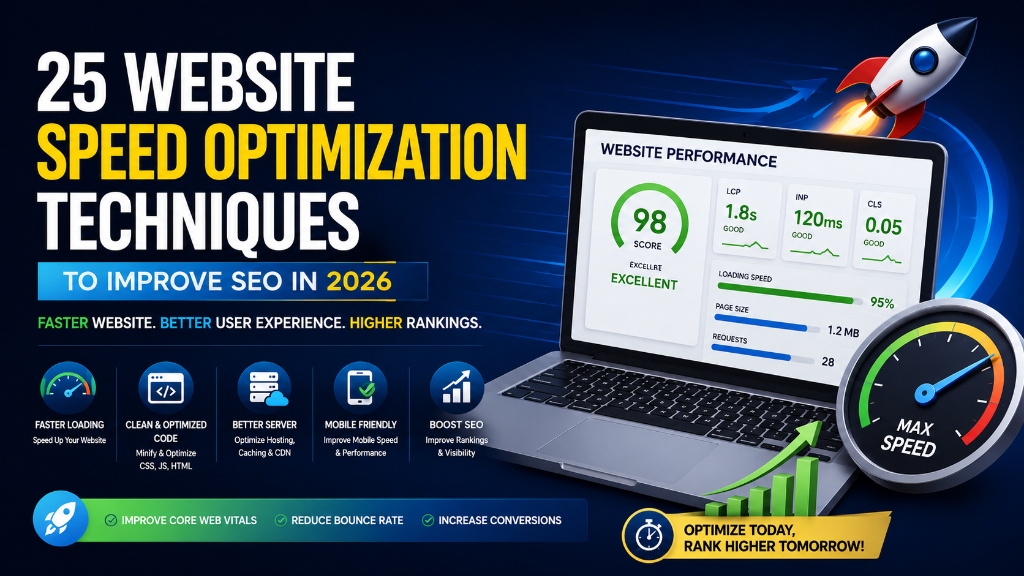
Website speed has become one of the most important factors in delivering a great user experience and achieving long-term SEO success. Whether you're running a business website, blog, eCommerce store, or portfolio, visitors expect pages to load almost instantly. If your website takes too long to respond, many users will leave before they even view your content.
Google also considers website performance when evaluating page experience. While high-quality content remains the most important ranking factor, a fast-loading website improves usability, supports Core Web Vitals, and helps search engines crawl your pages more efficiently.
Slow websites can lead to higher bounce rates, lower conversion rates, reduced customer satisfaction, and missed business opportunities. Even a delay of a few seconds can significantly impact how users interact with your website.
The good news is that improving website speed doesn't always require a complete redesign. Simple optimizations—such as compressing images, reducing unnecessary code, enabling caching, and choosing better hosting—can dramatically improve loading times.
In this comprehensive guide, you'll learn 25 practical Website Speed Optimization Techniques that will help improve page performance, strengthen your technical SEO, enhance user experience, and support better Google rankings in 2026.
Table of Contents
- What Is Website Speed Optimization?
- Why Website Speed Matters for SEO
- How Website Speed Affects User Experience
-
25 Website Speed Optimization Techniques
- 1. Compress Images Before Uploading
- 2. Use WebP or AVIF Image Formats
- 3. Resize Images to Proper Dimensions
- 4. Enable Lazy Loading
- 5. Optimize Hero Images
- 6. Minify CSS Files
- 7. Minify JavaScript Files
- 8. Remove Unused CSS
- 9. Remove Unused JavaScript
- 10. Eliminate Render-Blocking Resources
- 11. Choose Fast Web Hosting
- 12. Enable Browser Caching
- 13. Use a Content Delivery Network (CDN)
- 14. Enable GZIP or Brotli Compression
- 15. Improve Server Response Time (TTFB)
- 16. Reduce HTTP Requests
- 17. Optimize Web Fonts
- 18. Limit Third-Party Scripts
- 19. Reduce DOM Size
- 20. Optimize Database Performance
- 21. Monitor Website Speed Regularly
- 22. Test Mobile Performance
- 23. Optimize Core Web Vitals
- 24. Remove Unnecessary Plugins
- 25. Continuously Improve Website Performance
- Common Website Speed Optimization Mistakes
- Website Speed Optimization Checklist
- Frequently Asked Questions (FAQs)
- Conclusion
- Ready to Build a Faster Website?
What Is Website Speed Optimization?
Website Speed Optimization is the process of improving how quickly a website loads and responds to user interactions.
The goal is to reduce loading times while maintaining a smooth, reliable browsing experience across all devices.
Website speed optimization involves improving several areas, including:
- Images
- CSS
- JavaScript
- Web Hosting
- Server Response Time
- Caching
- Content Delivery Networks (CDNs)
- Database Performance
- Third-Party Scripts
A well-optimized website not only loads faster but also performs more efficiently, resulting in a better experience for both users and search engines.
Why Website Speed Matters for SEO
Website speed plays an important role in both user experience and search engine optimization.
Here are some of the key benefits of improving your website speed:
Improve User Experience
Visitors expect websites to load quickly. Fast-loading pages make browsing easier, reduce frustration, and encourage users to explore more content.
Reduce Bounce Rate
Slow-loading websites often lose visitors before they engage with the content. Improving website speed helps keep users on your site longer.
Improve Crawl Efficiency
Search engines allocate a crawl budget for every website. Faster websites allow search engine bots to crawl more pages efficiently, helping important content get discovered sooner.
Increase Conversion Rates
Website performance directly affects business results. Faster websites experience improvements in sales, lead generation, form submissions, and customer engagement.
Support Core Web Vitals
Many website speed improvements also contribute to healthier Core Web Vitals, including Largest Contentful Paint (LCP), Interaction to Next Paint (INP), and Cumulative Layout Shift (CLS).
How Website Speed Affects User Experience
A website's speed influences how users perceive your brand. Imagine visiting two websites: the first loads in under two seconds, while the second takes eight seconds to display its content. Most users naturally prefer the faster experience.
A fast website helps users find information quickly, navigate smoothly, complete purchases faster, read content comfortably, and build trust in your business. Good website performance creates positive first impressions and encourages visitors to return.
25 Website Speed Optimization Techniques
Below are the most effective techniques for improving website speed in 2026.
1. Compress Images Before Uploading
Large images are one of the most common reasons websites load slowly. Before uploading images, compress file sizes, remove unnecessary metadata, and maintain good visual quality. Smaller image files load much faster without noticeably reducing quality.
2. Use WebP or AVIF Image Formats
Modern image formats provide significantly better compression than traditional JPEG and PNG files. Serve images in WebP or AVIF formats for smaller file sizes, faster loading, and better mobile performance.
3. Resize Images to Proper Dimensions
Uploading oversized images wastes bandwidth and slows page loading. Avoid uploading a 4000px-wide image if it will only display at 800px. Resize images to match their display dimensions before uploading them.
4. Enable Lazy Loading
Lazy loading delays the loading of images and videos until users scroll near them. This improves initial page load speed and reduces initial page weight. Only load content when visitors actually need it.
5. Optimize Hero Images
Hero images are often the largest visual elements on a webpage. Optimize them by compressing, using modern formats, loading responsive image sizes, and preloading critical hero images when appropriate.
6. Minify CSS Files
CSS files often contain unnecessary characters, comments, and spacing. Minifying CSS reduces file size and improves download speed, resulting in faster rendering.
7. Minify JavaScript Files
Large JavaScript files can delay page rendering and user interactions. Minification removes unnecessary characters without affecting functionality, improving browser processing times.
8. Remove Unused CSS
Many websites load styles that aren't actually used. Unused CSS increases page size and slows rendering. Review stylesheets regularly and remove old plugin styles and unused frameworks.
9. Remove Unused JavaScript
Unused JavaScript increases processing time and negatively impacts responsiveness. Identify and remove unnecessary scripts to free up the browser's main thread.
10. Eliminate Render-Blocking Resources
Render-blocking CSS and JavaScript delay the display of visible page content. Improve performance by deferring non-critical scripts, inlining critical CSS, and loading scripts asynchronously.
11. Choose Fast Web Hosting
Your hosting provider plays a significant role in your website's performance. When selecting a hosting provider, look for SSD/NVMe storage, HTTP/3 support, server-level caching, and high uptime guarantees.
12. Enable Browser Caching
Browser caching stores static website resources locally on a visitor's device. When users return, the browser loads these cached files instantly instead of downloading them again.
13. Use a Content Delivery Network (CDN)
A CDN stores copies of your website across multiple servers worldwide. Visitors receive files from the server physically closest to them, reducing latency and page load times.
14. Enable GZIP or Brotli Compression
Compression reduces the size of files transferred between your server and visitors' browsers. Brotli generally provides better compression than GZIP when supported.
15. Improve Server Response Time (TTFB)
Time to First Byte (TTFB) measures how quickly your server responds to requests. Improve TTFB by using fast web hosting, optimizing databases, and enabling server-side caching.
16. Reduce HTTP Requests
Every resource loaded creates an HTTP request. Reduce unnecessary requests by combining CSS and JavaScript files, removing unused plugins, and using SVGs instead of image icons.
17. Optimize Web Fonts
Custom fonts can increase loading time if not configured properly. Optimize fonts by using WOFF2 format, preloading important fonts, and limiting font weights and font families.
18. Limit Third-Party Scripts
Third-party services (chat widgets, tracking pixels, ads) introduce external JavaScript that slows websites. Regularly review these scripts and remove anything that isn't essential.
19. Reduce DOM Size
A large Document Object Model (DOM) requires more browser processing. Simplify page layouts by removing unnecessary elements and avoiding deeply nested containers.
20. Optimize Database Performance
For dynamic websites, the database directly affects loading speed. Maintain a clean database by removing post revisions, spam comments, and optimizing database tables.
21. Monitor Website Speed Regularly
Website performance changes over time with new updates. Track loading speeds, Core Web Vitals, and mobile response metrics regularly to identify performance issues early.
22. Test Mobile Performance
Most users browse using mobile devices. Ensure your mobile layout is fully optimized with compressed images, fast loading, and touch-friendly navigation.
23. Optimize Core Web Vitals
Optimizing page speed directly supports Core Web Vitals. Focus on LCP (loading), INP (responsiveness), and CLS (visual stability) for comprehensive performance improvements.
24. Remove Unnecessary Plugins
Every active plugin adds extra code, assets, and database queries. Review your plugins regularly and remove inactive, duplicate, or resource-heavy plugins.
25. Continuously Improve Website Performance
Website speed optimization is not a one-time project. Consistent speed testing, image compression, database cleanups, and hosting checks ensure long-term SEO success.
Common Website Speed Optimization Mistakes
Many website owners unknowingly slow down their websites. Avoid these common mistakes:
- Uploading Large Images: Oversized images increase loading time significantly.
- Choosing Cheap Hosting: Low-cost hosting often results in slower server performance.
- Installing Too Many Plugins: Every plugin adds extra resources and may reduce website speed.
- Ignoring Mobile Optimization: Always optimize your website for mobile-first users.
- Loading Too Many Third-Party Scripts: Only keep scripts that provide real business value.
- Never Testing Performance: Regular performance testing helps identify new issues before they affect visitors.
- Forgetting to Optimize Existing Content: Older pages may contain unoptimized images and outdated code.
Website Speed Optimization Checklist
Before considering your website fully optimized, review this checklist:
- Images compressed
- WebP or AVIF images used
- Image dimensions optimized
- Lazy loading enabled
- Hero images optimized
- CSS minified
- JavaScript minified
- Unused CSS removed
- Unused JavaScript removed
- Render-blocking resources reduced
- Fast web hosting selected
- Browser caching enabled
- CDN configured
- GZIP or Brotli compression enabled
- Server response time optimized
- HTTP requests reduced
- Web fonts optimized
- Third-party scripts minimized
- DOM size reduced
- Database optimized
- Website speed monitored regularly
- Mobile performance tested
- Core Web Vitals optimized
- Unnecessary plugins removed
- Continuous performance monitoring implemented
Frequently Asked Questions (FAQs)
Website Speed Optimization is the process of improving how quickly your website loads and responds to user interactions. It involves optimizing images, code, server performance, caching, and other technical elements to provide a faster and smoother browsing experience.
Yes. Website speed is an important part of Google's Page Experience signals. Although high-quality content remains the primary ranking factor, a fast-loading website improves usability, supports Core Web Vitals, reduces bounce rates, and can positively influence your overall SEO performance.
While every website is different, a good goal is to achieve an initial page load within 2-3 seconds, an LCP under 2.5 seconds, an INP under 200 milliseconds, and a CLS below 0.1.
Several tools help measure website performance, including Google PageSpeed Insights, Google Search Console, Lighthouse, GTmetrix, Pingdom, and WebPageTest.
Website speed should be reviewed regularly, especially after website redesigns, plugin installations, theme updates, publishing large amounts of content, hosting changes, or major feature updates. A monthly review is recommended.
Some of the most common causes of slow websites include large, unoptimized images, poor-quality hosting, too many plugins, heavy JavaScript files, unused CSS, lack of caching, and slow database queries.
Conclusion
Website speed is no longer just a technical improvement—it is an essential part of modern SEO and user experience. Visitors expect websites to load quickly, respond instantly, and provide a smooth browsing experience across all devices. If your website is slow, users are more likely to leave before engaging with your content, products, or services.
The 25 Website Speed Optimization Techniques covered in this guide provide a practical roadmap for improving website performance. From compressing images and optimizing code to choosing better hosting and monitoring Core Web Vitals, each technique contributes to a faster and more reliable website.
Remember that website speed optimization is an ongoing process. As your website grows with new pages, plugins, and features, regular performance reviews become essential. Continuously testing and refining your website helps ensure it remains fast, user-friendly, and aligned with Google's latest recommendations.
A fast website not only supports better SEO but also creates a positive first impression, improves user engagement, increases conversions, and builds trust with your visitors. Make website speed optimization a regular part of your digital marketing strategy to achieve sustainable growth in 2026 and beyond.
Ready to Build a Faster Website?
Website speed plays a crucial role in both user experience and search engine optimization. A faster website keeps visitors engaged, improves Core Web Vitals, supports higher search visibility, and increases the likelihood of conversions.
At balamurugan.in, you'll find practical SEO resources, in-depth technical guides, and professional optimization services to help you improve your website's performance and stay ahead of the competition. For more information, visit the official W3C Standards guidelines and MDN Web Docs.