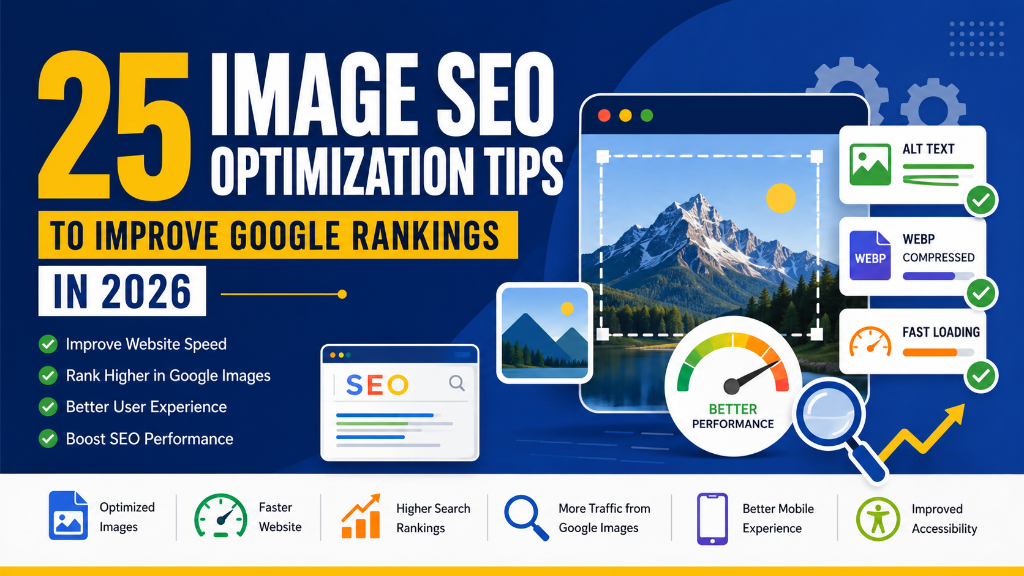
Images make websites more engaging, improve user experience, and help communicate information more effectively. Whether you're publishing blog posts, managing an eCommerce store, or promoting your business online, high-quality images play an important role in attracting and retaining visitors.
However, simply uploading images to your website isn't enough.
Large file sizes, missing ALT text, poor file names, incorrect dimensions, and unoptimized image formats can negatively impact your website's loading speed, accessibility, and search engine visibility.
This is where Image SEO becomes essential.
Image SEO is the process of optimizing images so they load faster, rank better in Google Images, improve accessibility, and contribute to stronger overall SEO performance.
In 2026, Google's ranking systems continue to prioritize page experience, Core Web Vitals, mobile usability, and high-quality content. Optimized images help improve all of these areas while making your website more accessible to users and search engines.
Whether you're an SEO professional, blogger, business owner, WordPress developer, or eCommerce manager, learning how to optimize images is an important part of building a successful website.
In this guide, you'll learn 25 practical Image SEO Optimization Tips that will help improve website speed, increase search visibility, and support better Google rankings in 2026.
Table of Contents
- What Is Image SEO?
- Why Image SEO Is Important
- How Image SEO Helps Google Rankings
-
25 Image SEO Optimization Tips
- 1. Choose the Right Image Before Uploading
- 2. Compress Images Before Uploading
- 3. Use WebP or AVIF Image Formats
- 4. Resize Images to Proper Dimensions
- 5. Use Descriptive File Names
- 6. Write Descriptive ALT Text
- 7. Add Image Captions Where Helpful
- 8. Use Responsive Images
- 9. Specify Image Width and Height
- 10. Enable Lazy Loading
- 11. Use SEO-Friendly Image URLs
- 12. Create an Image Sitemap
- 13. Avoid Duplicate Images
- 14. Optimize Hero Images
- 15. Use Structured Data for Images
- 16. Optimize Product Images
- 17. Use SVG for Icons and Logos
- 18. Avoid Text Inside Images
- 19. Optimize Images for Mobile Devices
- 20. Use a Content Delivery Network (CDN)
- 21. Monitor Image Performance
- 22. Remove Unused Images
- 23. Test Images Across Different Devices
- 24. Optimize Images for Social Sharing
- 25. Review and Update Existing Images Regularly
- Common Image SEO Mistakes
- Final Image SEO Checklist
- Frequently Asked Questions (FAQs)
- Conclusion
- Optimize Every Image for Better SEO
What Is Image SEO?
Image SEO is the process of optimizing images so search engines can understand, index, and display them more effectively.
It involves improving several aspects of an image, including:
- File Name
- ALT Text
- File Size
- Image Format
- Dimensions
- Structured Data
- Captions
- Loading Performance
Proper image optimization helps both users and search engines.
For users, optimized images improve loading speed and accessibility.
For search engines, they provide additional context about your webpage and improve eligibility for Google Images.
Why Image SEO Is Important
Image SEO provides benefits far beyond simply making images look better.
Here are some of its biggest advantages:
Improve Website Speed
Large, unoptimized images are one of the most common causes of slow websites.
Compressing and optimizing images improves loading speed and Core Web Vitals.
Improve User Experience
Fast-loading, properly sized images create a smoother browsing experience.
Visitors can view content without delays or unexpected layout shifts.
Increase Google Image Search Visibility
Google Images generates millions of searches every day.
Properly optimized images have a better chance of appearing in Google Image Search.
Improve Accessibility
Descriptive ALT text allows screen readers to explain images to visually impaired users.
Accessible websites provide a better experience for everyone.
Support Better SEO Performance
Image optimization contributes to:
- Faster page loading
- Better Core Web Vitals
- Lower bounce rates
- Improved engagement
- Higher search visibility
How Image SEO Helps Google Rankings
Although images alone don't determine rankings, they support several important SEO factors.
Faster Loading Speed
Optimized images reduce page size and improve loading performance. Faster pages provide a better user experience.
Better Core Web Vitals
Large images often affect Largest Contentful Paint (LCP) and Cumulative Layout Shift (CLS). Optimizing images improves these important performance metrics.
Improved Content Understanding
Google uses image information such as File Names, ALT Text, Captions, and Structured Data to better understand page content.
Better Mobile Experience
Optimized images load faster on mobile devices, improving usability and reducing bandwidth consumption.
More Traffic from Google Images
Well-optimized images can attract additional visitors through Google Image Search. This creates another source of organic traffic beyond traditional web search.
25 Image SEO Optimization Tips
Below are the most effective ways to optimize images for SEO in 2026.
1. Choose the Right Image Before Uploading
Start with a high-quality image that is relevant to your content. Avoid blurry images, stretched images, low-resolution photos, or irrelevant stock photos. Every image should add value to the page.
2. Compress Images Before Uploading
Large images slow websites considerably. Compress images before uploading while maintaining good visual quality to achieve faster loading, lower bandwidth usage, better Core Web Vitals, and improved SEO. Compression is one of the simplest and most effective optimization techniques.
3. Use WebP or AVIF Image Formats
Modern image formats provide better compression than JPEG and PNG. Recommended formats include WebP and AVIF. These formats reduce file size while maintaining excellent image quality.
4. Resize Images to Proper Dimensions
Never upload oversized images. For example, if an image displays at 800 × 600 pixels, don't upload a 5000 × 3500 pixel version. Resize images before uploading to reduce unnecessary file size.
5. Use Descriptive File Names
Image file names help search engines understand image content. Use clean, descriptive file names (like technical-seo-checklist-2026.webp instead of IMG_12345.jpg) that naturally include relevant keywords.
6. Write Descriptive ALT Text
ALT text describes images for both search engines and screen readers. Good ALT text should clearly describe the image, include keywords naturally, be concise, and improve accessibility. Avoid keyword stuffing.
7. Add Image Captions Where Helpful
Captions provide additional context for users. Although captions aren't required for every image, they can improve engagement when they add useful information to charts, infographics, product images, or educational visuals.
8. Use Responsive Images
Visitors use many different devices. Serve appropriately sized images for desktop, tablet, and mobile to reduce unnecessary downloads and improve loading performance.
9. Specify Image Width and Height
Always define image dimensions. This reserves the correct display space before images load, reducing layout shifts and supporting better CLS scores.
10. Enable Lazy Loading
Lazy loading delays off-screen images until users scroll near them. This leads to faster initial page loading, reduced bandwidth usage, better mobile performance, and improved Largest Contentful Paint (LCP).
11. Use SEO-Friendly Image URLs
Image URLs should be clean, descriptive, and easy for search engines to understand. Use structured URLs (like /images/image-seo-checklist.webp) to improve organization and context.
12. Create an Image Sitemap
An Image Sitemap helps Google discover images that may not be easily found during normal crawling. Include important visuals such as featured images, product photos, and infographics to improve indexing.
13. Avoid Duplicate Images
Using the same image repeatedly across multiple pages reduces uniqueness. Create original graphics, customize stock photos, design custom infographics, and use unique featured images to boost engagement.
14. Optimize Hero Images
Hero images are usually the largest images on a webpage. Optimize them by compressing files, using WebP/AVIF, serving responsive sizes, preloading when appropriate, and avoiding oversized dimensions to improve LCP.
15. Use Structured Data for Images
Schema Markup helps Google better understand images. Depending on your content, implement ImageObject, Product, Article, Recipe, or LocalBusiness Schema to support eligibility for rich results.
16. Optimize Product Images
For eCommerce websites, product images play a major role in SEO and conversions. Ensure they are high quality, load quickly, include descriptive ALT text, use SEO-friendly filenames, and display multiple angles.
17. Use SVG for Icons and Logos
SVG files are lightweight, scalable, and maintain excellent quality on all screen sizes. Using SVG for logos and icons reduces file size and improves website performance.
18. Avoid Text Inside Images
Search engines cannot fully understand text embedded within images. Important information should always appear as HTML text (rather than headers or buttons within images) to improve accessibility and SEO.
19. Optimize Images for Mobile Devices
Most users browse websites using smartphones. Ensure images load quickly, scale properly, use responsive sizing, and avoid excessive file sizes for a mobile-friendly experience.
20. Use a Content Delivery Network (CDN)
A CDN delivers images from servers physically closer to visitors, resulting in faster loading, lower latency, better global performance, and reduced server workload.
21. Monitor Image Performance
Regularly review image performance. Check for slow-loading images, large file sizes, missing ALT text, broken image links, or mobile display issues to maintain peak performance.
22. Remove Unused Images
Over time, websites accumulate unused images. Delete old uploads, duplicate files, unused graphics, and outdated banners to free up storage space and improve website management.
23. Test Images Across Different Devices
Always verify that images display correctly on desktop, tablet, and mobile viewports. Checking resolution, alignment, cropping, and responsiveness builds user trust.
24. Optimize Images for Social Sharing
Images shared on platforms like LinkedIn, Facebook, and X influence engagement. Use proper Open Graph (OG) and Twitter Card images that match recommended dimensions and load quickly.
25. Review and Update Existing Images Regularly
Image optimization isn't a one-time task. Review older content, replace outdated visuals, recompress large files, add missing ALT text, and convert images to WebP/AVIF to maintain long-term search performance.
Common Image SEO Mistakes
Many websites lose valuable SEO opportunities because of poor image optimization. Avoid these common mistakes:
- Uploading Oversized Images: Large image files increase loading times and negatively affect Core Web Vitals.
- Forgetting ALT Text: Missing ALT text reduces accessibility and limits search engines' understanding of your images.
- Using Generic File Names: Avoid filenames like
IMG001.jpg. Instead, use descriptive names that reflect the image content. - Ignoring Mobile Optimization: Images should display correctly and load quickly across all devices.
- Using the Wrong Image Format: Choose modern formats such as WebP or AVIF whenever possible to reduce file size.
- Embedding Important Text in Images: Search engines cannot interpret image text as effectively as HTML content.
- Never Reviewing Existing Images: As your website grows, revisit older pages to optimize images using current best practices.
Final Image SEO Checklist
Before publishing a page, review this checklist:
- High-quality images selected
- Images compressed before uploading
- WebP or AVIF format used
- Correct image dimensions
- SEO-friendly file names
- Descriptive ALT text added
- Helpful captions included (where appropriate)
- Responsive images implemented
- Width and height specified
- Lazy loading enabled
- SEO-friendly image URLs
- Image Sitemap created
- Duplicate images avoided
- Hero images optimized
- Structured data implemented
- Product images optimized
- SVG used for icons and logos
- Important text kept outside images
- Images optimized for mobile
- CDN configured for image delivery
- Image performance monitored
- Unused images removed
- Images tested across devices
- Social sharing images optimized
- Existing images reviewed regularly
Frequently Asked Questions (FAQs)
Image SEO is the process of optimizing images so that search engines can better understand, index, and display them in search results. It includes optimizing image file names, ALT text, file size, dimensions, image formats, structured data, and loading performance. Proper Image SEO improves website speed, accessibility, user experience, and visibility in Google Images.
Yes. While images alone are not a direct ranking factor, they support several important SEO signals. Optimized images help improve website speed, enhance Core Web Vitals, increase accessibility, improve user engagement, and generate traffic from Google Images. These improvements contribute to stronger overall SEO performance.
Modern image formats provide better compression while maintaining image quality. The recommended formats are WebP (excellent balance of quality and file size), AVIF (smaller file sizes with outstanding image quality), and SVG (best for logos, icons, and simple illustrations). Choosing the right format helps reduce loading time and improve website performance.
ALT (Alternative) text helps search engines understand what an image represents. It also improves accessibility by allowing screen readers to describe images to visually impaired users. Good ALT text should clearly describe the image, be concise, include keywords naturally where relevant, and avoid keyword stuffing.
Yes. Large image files are one of the most common causes of slow websites. Compressing images before uploading helps improve loading speed, reduce bandwidth usage, enhance Core Web Vitals, and create a better user experience. Always balance image quality with file size.
Image optimization should be part of your regular website maintenance. Review your images after publishing new content, during SEO audits, following website redesigns, when updating older blog posts, or after Core Web Vitals reviews to ensure your website continues to perform well over time.
Conclusion
Images are much more than visual elements—they are an essential part of your website's SEO strategy. Well-optimized images improve loading speed, strengthen Core Web Vitals, enhance accessibility, and help search engines better understand your content. They also create opportunities to attract additional traffic through Google Images.
The 25 Image SEO Optimization Tips covered in this guide provide a practical framework for improving every aspect of image optimization, from choosing the right file format and writing descriptive ALT text to implementing structured data and optimizing images for mobile devices.
Remember, Image SEO isn't a one-time task. As your website grows, regularly reviewing and updating your images helps maintain strong performance and ensures they continue to meet modern SEO best practices. Small improvements—such as compressing images, using descriptive filenames, or switching to WebP—can have a significant impact when applied consistently across your website.
If you're aiming to improve your website's speed, accessibility, user experience, and search visibility, Image SEO should be an essential part of your long-term SEO strategy.
Optimize Every Image for Better SEO
Every image on your website is an opportunity to improve both user experience and search visibility. By following the best practices outlined in this guide, you can build a faster website, enhance accessibility, improve Core Web Vitals, and increase your chances of appearing in Google Image Search.
At balamurugan.in, you'll find practical SEO resources, technical guides, and professional SEO services designed to help businesses improve their online presence and stay ahead of Google's evolving search algorithms. For additional details, refer to the Google Search Central documentation.