Table of Contents
- Introduction
- What Is Internal Linking?
- Why Internal Linking Is Important for SEO
- Types of Internal Links
-
25 Internal Linking Strategies
- 1. Create Topic Clusters
- 2. Link Related Articles Naturally
- 3. Prioritize High-Authority Pages
- 4. Use Descriptive Anchor Text
- 5. Keep Your Website Structure Shallow
- 6. Link to Important Service Pages
- 7. Update Older Content with New Links
- 8. Avoid Orphan Pages
- 9. Link to Relevant Categories
- 10. Build Content Around Pillar Pages
- 11. Link High-Traffic Pages to Important Pages
- 12. Use Breadcrumb Navigation
- 13. Link to Evergreen Content
- 14. Reduce Click Depth
- 15. Add "Related Articles" Sections
- 16. Audit Internal Links Regularly
- 17. Link to Supporting Content
- 18. Use Internal Links Early in the Content
- 19. Fix Broken Internal Links
- 20. Avoid Too Many Internal Links
- 21. Strengthen Cornerstone Content
- 22. Use Internal Links to Improve Conversions
- 23. Monitor Internal Links in Google Search Console
- 24. Support New Pages with Internal Links
- 25. Make Internal Linking Part of Your Content Workflow
- Common Internal Linking Mistakes
- Final Internal Linking Checklist
- Frequently Asked Questions (FAQs)
- Conclusion
Introduction
When people think about improving their website's SEO, they often focus on keyword research, content creation, or backlinks. While these are all important, one of the most overlooked SEO techniques is internal linking.
Internal links connect one page of your website to another. They help search engines discover new pages, understand your website's structure, and determine which pages are the most important. At the same time, they guide visitors to relevant content, improving user experience and encouraging them to spend more time on your website.
Many websites publish excellent content but fail to rank because their pages are isolated or poorly connected. Without a strong internal linking strategy, even high-quality pages can struggle to gain visibility in search results.
In 2026, Google's ranking systems continue to place greater emphasis on website structure, topical authority, and user experience. A well-planned internal linking strategy not only helps search engines crawl your website more efficiently but also distributes page authority across your most valuable content.
Whether you manage a business website, personal blog, eCommerce store, or client project, understanding how to build an effective internal linking structure can significantly improve your SEO performance.
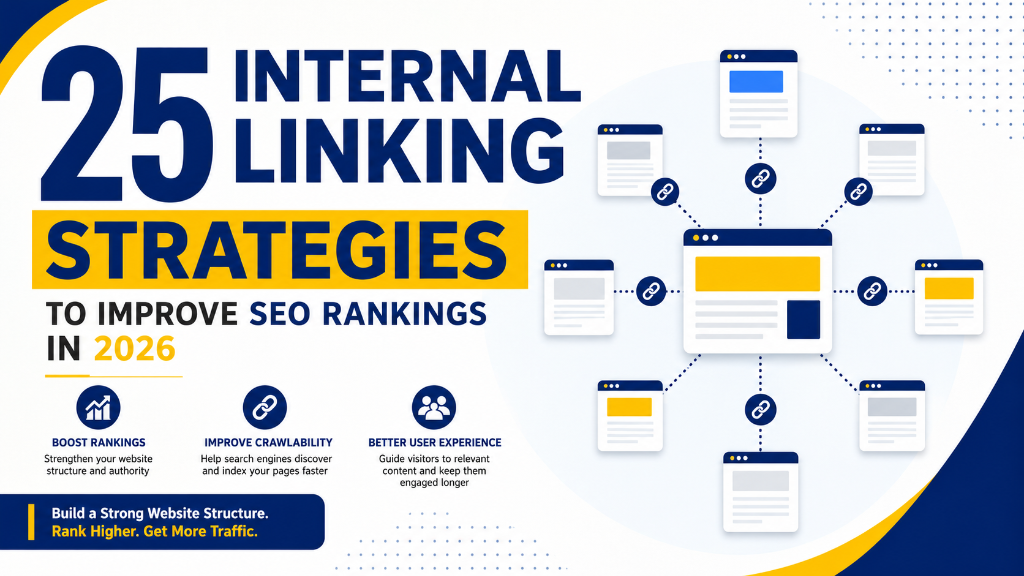
In this guide, you'll learn 25 practical internal linking strategies that will help strengthen your website architecture, improve crawlability, increase page authority, and achieve better Google rankings in 2026.
What Is Internal Linking?
Internal linking is the process of connecting one page on your website to another page within the same domain.
For example, if you're writing a blog about Technical SEO and include a link to your On-Page SEO Checklist article, that's an internal link.
Unlike external links, which point to other websites, internal links help search engines understand the relationship between your pages.
Internal links serve several important purposes:
- Help Google discover new pages
- Improve website navigation
- Pass authority between pages
- Strengthen topical relevance
- Encourage visitors to explore more content
- Reduce bounce rate
- Increase average session duration
A well-structured internal linking strategy benefits both users and search engines.
Why Internal Linking Is Important for SEO
Internal links are much more than simple navigation elements. They play a crucial role in helping search engines understand your website's hierarchy and content relationships.
Improve Crawlability
Google uses internal links to discover and crawl pages on your website. Without internal links, some pages may remain undiscovered or take longer to index.
Distribute Page Authority
Pages with strong backlinks can pass authority to other important pages through internal links. This helps newer or lower-authority pages improve their visibility.
Improve User Experience
Internal links guide visitors toward related articles and helpful resources. Visitors spend more time exploring your website when they can easily find relevant information.
Build Topical Authority
Connecting related content demonstrates expertise in a subject area. For example, linking articles about Technical SEO, On-Page SEO, Keyword Research, and SEO Audits helps establish topical authority for SEO.
Increase Organic Traffic
Well-connected pages often perform better because search engines can better understand their relevance and importance.
Types of Internal Links
Not all internal links serve the same purpose. Here are the most common types you'll find on a website.
Navigation Links
These appear in your website's main menu and help users navigate between major sections. Examples include:
- Home
- About
- Services
- Blog
- Contact
Contextual Links
Contextual links appear naturally within your content. These are considered the most valuable internal links because they provide additional context to both readers and search engines.
Example: While discussing Technical SEO, you might link to your Google Search Console Guide or SEO Audit Checklist.
Footer Links
Footer links provide quick access to important pages such as:
- Privacy Policy
- Sitemap
- Services
- Categories
- Contact
Sidebar Links
Sidebars often contain:
- Recent Posts
- Popular Articles
- Categories
- Related Content
These links encourage visitors to explore additional pages.
25 Internal Linking Strategies
The following strategies will help you build a stronger website structure and improve your SEO performance.
1. Create Topic Clusters
Instead of publishing isolated articles, organize related content into topic clusters.
For example:
- Pillar Page: Complete SEO Guide
- Supporting Articles: Technical SEO Checklist, On-Page SEO Checklist, Off-Page SEO Checklist, Keyword Research Strategies, Google Search Console Tips, SEO Audit Checklist
Every supporting article should link back to the pillar page while the pillar page links to each supporting article. This structure improves topical authority and helps Google understand your expertise.
2. Link Related Articles Naturally
Always add internal links where they provide value to the reader. If you're writing about keyword research and mention technical SEO, include a relevant internal link instead of forcing unrelated links into the content. Natural contextual links carry more SEO value than random links.
3. Prioritize High-Authority Pages
Some pages on your website naturally receive more backlinks and traffic. Use these high-authority pages to pass link equity to new blog posts, service pages, low-performing pages, and important landing pages. This helps distribute authority throughout your website.
4. Use Descriptive Anchor Text
Avoid generic anchor text like "Click Here", "Read More", or "Learn More". Instead, use descriptive anchors such as "Technical SEO Checklist", "Google Search Console Guide", or "Keyword Research Strategies". Descriptive anchor text helps both users and search engines understand the destination page.
5. Keep Your Website Structure Shallow
Visitors and search engines should reach important pages within three to four clicks from the homepage. A shallow website structure improves crawlability, helps distribute authority, makes navigation easier, and enhances user experience. Avoid burying valuable content deep within multiple folders.
6. Link to Important Service Pages
Many websites focus only on linking blog posts together. Instead, regularly link relevant blogs to your service pages. For example: A blog about Technical SEO should naturally link to your SEO Services page. This strengthens commercial pages and improves their authority.
7. Update Older Content with New Links
Whenever you publish a new article, revisit older posts and add links pointing to the new content. This provides faster indexing, better crawlability, increased page authority, and improved user navigation. Updating older content is one of the easiest ways to strengthen your internal linking strategy.
8. Avoid Orphan Pages
An orphan page is a page that has no internal links pointing to it. Since search engines rely on internal links to discover content, orphan pages often receive little visibility. Regularly audit your website to ensure every important page receives at least one contextual internal link.
9. Link to Relevant Categories
Category pages organize similar content into one location. Include links to category pages whenever appropriate. For example: If multiple blogs discuss SEO, link readers to your SEO Learning category page. Category pages help strengthen topical relevance and improve website organization.
10. Build Content Around Pillar Pages
Create comprehensive cornerstone content for major topics. Then publish supporting articles that expand on individual concepts. For example: Pillar Guide (Complete SEO Guide) and Supporting Articles (Technical SEO, On-Page SEO, Off-Page SEO, Internal Linking, SEO Audit, Google Search Console, Keyword Research). Each article should link back to the pillar page while also linking to related supporting content. This interconnected structure improves crawlability, topical authority, and overall SEO performance.
11. Link High-Traffic Pages to Important Pages
Some pages naturally attract more organic traffic than others. Identify these high-performing pages using Google Search Console or Google Analytics and add contextual internal links to new blog posts, service pages, pillar pages, or low-performing pages. This allows your strongest pages to pass authority throughout your website.
12. Use Breadcrumb Navigation
Breadcrumbs help users understand where they are on your website (Example: Home > SEO > Technical SEO > Core Web Vitals). Benefits include better navigation, improved crawlability, Rich Results eligibility, and stronger website structure. Breadcrumbs also create additional internal links across your website.
13. Link to Evergreen Content
Evergreen articles remain useful for years (Examples: What is SEO?, Keyword Research Guide, On-Page SEO Checklist, Technical SEO Guide). These pages deserve more internal links because they continue generating traffic over time.
14. Reduce Click Depth
Important pages should never be buried deep inside your website. Aim for: Homepage → Category → Article, instead of Homepage → Category → Subcategory → Archive → Article. Reducing click depth helps search engines discover important pages faster.
15. Add "Related Articles" Sections
At the end of every blog post, recommend 3–5 related articles (Example: Related Reading: Technical SEO Checklist, Google Search Console Tips, SEO Audit Checklist). This encourages readers to continue exploring your website and improves session duration.
16. Audit Internal Links Regularly
Internal linking isn't a one-time task. Review your website every few months to identify broken internal links, orphan pages, redirected URLs, and missing contextual links. Regular audits keep your website structure healthy.
17. Link to Supporting Content
Whenever you explain a concept briefly, link to a dedicated article that covers it in greater detail. Example: Instead of fully explaining Core Web Vitals in every article, provide an internal link to your complete Core Web Vitals guide. This improves topical depth while keeping content easy to read.
18. Use Internal Links Early in the Content
Don't wait until the final paragraph to add your first internal link. Including relevant links within the first few sections helps users discover more content quickly, improves crawl efficiency, and encourages longer sessions. Just make sure the links fit naturally within the context.
19. Fix Broken Internal Links
Broken internal links create a poor user experience and waste crawl budget. During your audit, replace outdated URLs, update redirected links, remove links to deleted pages, and fix 404 errors. Healthy internal links help both visitors and search engines.
20. Avoid Too Many Internal Links
More links don't always mean better SEO. Adding dozens of unnecessary links can confuse readers, dilute page authority, and reduce the value of important links. Only include internal links where they genuinely help users. Quality is more important than quantity.
21. Strengthen Cornerstone Content
Every website should have cornerstone (pillar) content covering major topics. Regularly add internal links pointing to these pages from blogs, service pages, category pages, and landing pages. This signals their importance to search engines.
22. Use Internal Links to Improve Conversions
Internal links aren't only for SEO. Guide users toward important business pages such as Services, Contact, Pricing, Consultation, or Portfolio. Well-placed internal links improve user journeys and conversion rates.
23. Monitor Internal Links in Google Search Console
Google Search Console provides an Internal Links report. Review it regularly to understand which pages receive the most internal links, pages with very few links, and opportunities to strengthen weaker pages. This report helps you improve your website architecture.
24. Support New Pages with Internal Links
Every time you publish a new page, link to it from related blogs, add it to category pages, include it in cornerstone content, and reference it where relevant. This helps Google discover new pages faster and improves indexing.
25. Make Internal Linking Part of Your Content Workflow
Internal linking shouldn't be an afterthought. Whenever you publish new content, ask yourself: Which older pages should link here?, Which pages should this article link to?, and Does this strengthen my topic cluster? Making internal linking part of your publishing workflow creates a stronger website over time.
Common Internal Linking Mistakes
Even experienced website owners make internal linking mistakes. Avoid these common issues:
- Linking Irrelevant Pages: Only link pages that are genuinely related.
- Using Generic Anchor Text: Avoid phrases like "Click Here", "Learn More", or "Read More". Use descriptive anchor text instead.
- Ignoring Orphan Pages: Every important page should receive internal links.
- Adding Too Many Links: Too many internal links reduce their effectiveness.
- Forgetting Older Content: Update existing articles whenever you publish new content.
- Using Broken Links: Regularly check your website for broken internal links.
- Ignoring Pillar Pages: Cornerstone content should receive the highest number of contextual internal links.
Final Internal Linking Checklist
Before publishing or updating any content, review the following checklist:
- Create topic clusters
- Link related articles naturally
- Pass authority from high-performing pages
- Use descriptive anchor text
- Keep your website structure shallow
- Link blog posts to service pages
- Update older content with new links
- Remove orphan pages
- Strengthen category pages
- Build pillar content
- Link high-traffic pages
- Add breadcrumb navigation
- Link to evergreen content
- Reduce click depth
- Add related articles sections
- Audit internal links regularly
- Link to supporting content
- Place internal links early in articles
- Fix broken internal links
- Avoid excessive internal linking
- Strengthen cornerstone content
- Use internal links to improve conversions
- Review Internal Links in Google Search Console
- Support newly published pages
- Make internal linking part of your content workflow
Frequently Asked Questions (FAQs)
Internal linking is the practice of connecting one page of your website to another page within the same domain. These links help search engines understand your website's structure, discover new pages, distribute page authority, and improve user navigation.
Internal links help Google crawl and index your website more efficiently. They also pass authority between pages, improve topical relevance, increase user engagement, reduce bounce rates, and strengthen your overall website architecture.
There is no fixed number. Add as many internal links as needed, provided they are relevant and helpful to users. Instead of focusing on quantity, prioritize contextual links that naturally fit within your content and guide readers to related pages.
Anchor text is the clickable text used in a hyperlink (For example: Technical SEO Checklist). Using descriptive anchor text helps users understand what they'll find on the destination page and provides additional context to search engines.
Yes. While internal links alone won't guarantee higher rankings, they help distribute page authority, improve crawlability, strengthen topical authority, and make it easier for search engines to understand the relationships between your pages. A strong internal linking strategy can significantly improve your website's SEO performance.
Orphan pages are pages that have no internal links pointing to them. Because search engines rely on internal links to discover content, orphan pages may receive little or no visibility in search results. Regularly auditing your website helps identify and fix orphan pages.
Conclusion
Internal linking is one of the simplest yet most powerful SEO techniques available. Unlike backlinks, which often require outreach and external efforts, internal links are completely under your control.
A well-planned internal linking strategy helps search engines discover your content, understand your website structure, and identify your most important pages. At the same time, it creates a better experience for users by guiding them to relevant information and encouraging them to explore more of your website.
The 25 Internal Linking Strategies shared in this guide are practical techniques that you can apply to almost any website, whether it's a personal blog, business website, eCommerce store, or large enterprise platform.
Remember that internal linking isn't something you do once and forget. Every new article you publish creates another opportunity to strengthen your website's structure, improve crawlability, and build topical authority.
Over time, these small improvements can lead to better rankings, increased organic traffic, and a stronger overall SEO foundation.
If you want sustainable SEO growth in 2026 and beyond, make internal linking a standard part of your content publishing and optimization process.