Table of Contents
- Introduction
- What Is an SEO Audit?
- Why Is an SEO Audit Important?
- When Should You Perform an SEO Audit?
-
25 SEO Audit Checks
- 1. Check Website Indexing Status
- 2. Review Your XML Sitemap
- 3. Verify Your Robots.txt File
- 4. Fix Crawl Errors
- 5. Improve Core Web Vitals
- 6. Optimize Website Speed
- 7. Check Mobile Friendliness
- 8. Review HTTPS Security
- 9. Find and Fix Broken Links
- 10. Check Canonical Tags
- 11. Audit Your Title Tags
- 12. Review Meta Descriptions
- 13. Check Heading Structure (H1–H6)
- 14. Optimize URL Structure
- 15. Review Internal Linking
- 16. Optimize Images
- 17. Check Schema Markup
- 18. Identify Duplicate Content
- 19. Update Outdated Content
- 20. Review Keyword Optimization
- 21. Match Search Intent
- 22. Improve Content Readability
- 23. Analyze Your Backlink Profile
- 24. Review Google Search Console & Google Analytics
- 25. Create an SEO Action Plan
- Common SEO Audit Mistakes
- Frequently Asked Questions (FAQs)
- Final SEO Audit Checklist
- Conclusion
Introduction
No matter how well your website is designed or how much content you publish, your SEO efforts can suffer if technical issues, outdated pages, or optimization gaps go unnoticed. That's why conducting a regular SEO audit is one of the most important steps in maintaining a healthy website and achieving long-term search engine success.
Many website owners focus only on publishing new content or building backlinks. While these are essential parts of SEO, they often overlook problems that silently affect rankings—such as broken links, indexing errors, duplicate content, slow page speed, missing meta tags, or poor internal linking.
An SEO audit helps uncover these hidden issues before they negatively impact your website's visibility in Google Search.
In 2026, Google's ranking systems continue to prioritize user experience, page performance, content quality, helpful information, and technical excellence. Performing regular SEO audits allows you to identify weaknesses, fix critical issues, and ensure your website meets Google's latest best practices.
Whether you're managing a personal blog, business website, eCommerce store, or client project, a structured SEO audit helps you make informed optimization decisions based on real data rather than assumptions.
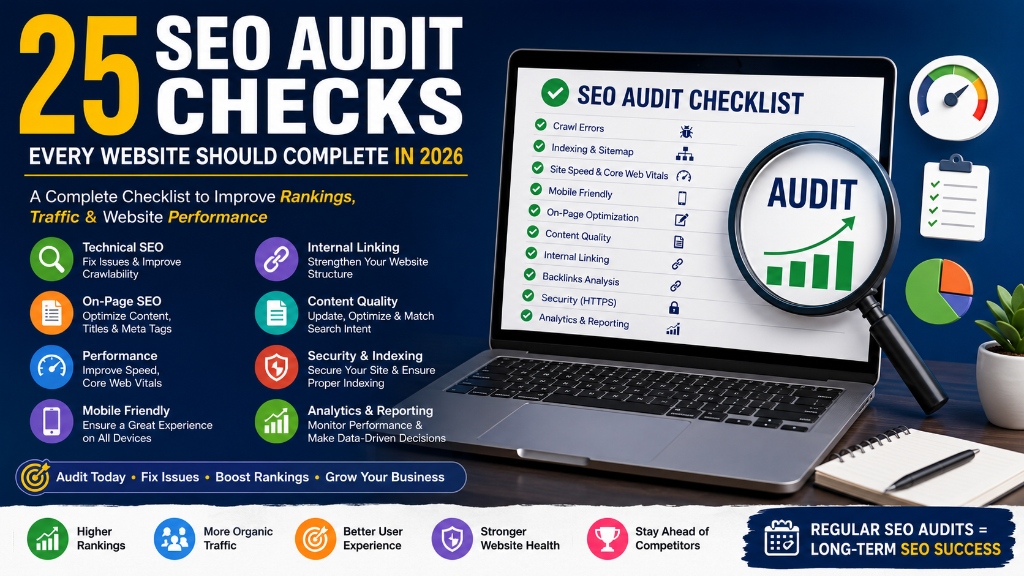
In this comprehensive guide, you'll learn 25 essential SEO audit checks that every website should complete to improve search visibility, increase organic traffic, and build a stronger SEO foundation in 2026.
What Is an SEO Audit?
An SEO audit is a complete evaluation of your website to identify issues that may affect its visibility, crawlability, indexing, performance, and rankings in search engines.
Instead of focusing on just one aspect of SEO, an audit examines every important component of your website, including:
- Technical SEO
- On-Page SEO
- Content Quality
- Internal Linking
- Website Speed
- Mobile Friendliness
- Indexing
- Backlink Profile
- User Experience
The purpose of an SEO audit is to identify opportunities for improvement and ensure your website follows Google's recommended best practices.
Think of it as a regular health check-up for your website. Just as routine medical check-ups help detect health issues early, an SEO audit helps identify website problems before they affect your rankings.
Why Is an SEO Audit Important?
Search engines constantly update their algorithms, and websites evolve over time with new pages, updated content, plugins, and design changes. Without regular audits, it's easy for technical issues and optimization gaps to accumulate.
An SEO audit helps you:
- Improve Search Rankings: Fixing technical and content issues increases your chances of ranking higher on Google.
- Increase Organic Traffic: Optimized websites attract more relevant visitors from search engines.
- Identify Technical Issues: Find crawl errors, broken pages, duplicate content, and indexing problems before they impact performance.
- Improve User Experience: Faster websites with better navigation and mobile optimization create a positive experience for visitors.
- Stay Competitive: Regular audits help you adapt to Google's latest algorithm updates and stay ahead of competitors.
When Should You Perform an SEO Audit?
There isn't a single schedule that works for every website, but regular audits are essential. Consider performing an SEO audit:
- Every three to six months
- Before launching a redesigned website
- After a website migration
- Following major Google algorithm updates
- When organic traffic declines
- Before starting a new SEO campaign
- After publishing a large number of new pages
Routine audits help maintain website health and prevent minor issues from becoming major ranking problems.
25 SEO Audit Checks
Below are the most important SEO checks every website should complete in 2026.
1. Check Website Indexing Status
Before anything else, confirm that your important pages are actually indexed by Google. Use Google Search Console to review Indexed pages, Excluded pages, Noindex pages, and Crawled but not indexed pages. If your pages aren't indexed, they cannot appear in search results regardless of how well they're optimized.
2. Review Your XML Sitemap
An XML sitemap helps search engines discover your website's pages more efficiently. During your audit, verify that the sitemap exists, includes important pages, does not contain broken URLs, has been submitted to Google Search Console, and updates automatically when new content is published. A clean sitemap improves crawling and indexing.
3. Verify Your Robots.txt File
The robots.txt file tells search engines which pages or directories they can and cannot crawl. Review it carefully to ensure important pages are not blocked, search engines can access CSS and JavaScript files, sitemap location is included, and no unnecessary crawl restrictions exist. A small mistake in robots.txt can prevent Google from indexing valuable pages.
4. Fix Crawl Errors
Search engines need to crawl your website successfully before they can rank it. Check for issues such as 404 Errors, 500 Server Errors, Redirect Chains, Broken URLs, and DNS Errors. Fixing crawl issues improves website accessibility and crawl efficiency.
5. Improve Core Web Vitals
Core Web Vitals remain one of Google's key page experience signals. Review Largest Contentful Paint (LCP), Interaction to Next Paint (INP), and Cumulative Layout Shift (CLS). Improving these metrics enhances both user experience and SEO performance.
6. Optimize Website Speed
Website speed directly affects user engagement and search rankings. During your audit, compress images, enable browser caching, minify CSS and JavaScript, reduce server response time, remove unnecessary plugins, and optimize loading resources. A faster website reduces bounce rates and improves conversions.
7. Check Mobile Friendliness
Google primarily uses mobile-first indexing. Your website should display correctly on all devices, use responsive design, have readable text, include touch-friendly buttons, and load quickly on mobile networks. A poor mobile experience can reduce both rankings and user satisfaction.
8. Review HTTPS Security
Website security is essential for both users and search engines. Confirm that HTTPS is enabled, the SSL certificate is valid, mixed content issues are resolved, and all HTTP URLs redirect to HTTPS. Secure websites build trust and support better SEO performance.
9. Find and Fix Broken Links
Broken internal and external links create a poor user experience. Look for 404 pages, broken navigation links, outdated external references, and incorrect redirects. Repairing broken links improves crawlability and helps visitors navigate your website more effectively.
10. Check Canonical Tags
Canonical tags help search engines understand the preferred version of a page. Review whether canonical tags exist, point to the correct URLs, duplicate pages reference the primary version, and self-referencing canonicals are implemented where appropriate. Proper canonical implementation prevents duplicate content issues and consolidates ranking signals.
11. Audit Your Title Tags
Title tags are one of the most important on-page SEO elements. They influence both search rankings and click-through rates. During your audit, check whether every page has a unique title tag, the primary keyword appears naturally, titles are between 50–60 characters, titles clearly describe the page content, and there are no duplicate titles across the website. Well-optimized title tags help search engines understand your pages and encourage users to click your listings.
12. Review Meta Descriptions
Although meta descriptions are not a direct ranking factor, they significantly impact click-through rates. Ensure that every important page has a unique meta description, relevant keywords, clear and engaging language, a length between 140–160 characters, and a compelling call-to-action. An optimized meta description can improve your visibility by attracting more clicks from search results.
13. Check Heading Structure (H1–H6)
A clear heading hierarchy makes content easier to understand for both users and search engines. Review each page to ensure only one H1 tag is used, headings follow a logical order (H2 → H3 → H4), keywords are included naturally, and headings accurately describe each section. Proper heading structure improves readability and helps Google understand your content.
14. Optimize URL Structure
SEO-friendly URLs improve both user experience and crawlability. Your URLs should be short and descriptive, easy to read, include the primary keyword, free from unnecessary numbers or symbols, and consistent across the website.
Example:
- Good URL:
/seo-audit-checklist - Poor URL:
/page?id=12345
15. Review Internal Linking
Internal links help distribute page authority throughout your website. During your audit, identify orphan pages, pages with very few internal links, broken internal links, and missing contextual links. Link related blog posts, service pages, and cornerstone content together to strengthen your website's topical authority.
16. Optimize Images
Large, unoptimized images can slow down your website and affect SEO performance. Check whether your images are compressed, use descriptive file names, include ALT text, use modern formats like WebP where possible, and load efficiently on mobile devices. Optimized images improve page speed and accessibility.
17. Check Schema Markup
Schema markup helps search engines better understand your content and increases your chances of appearing in rich results. Review whether your website includes Article Schema, FAQ Schema, Breadcrumb Schema, Organization Schema, Local Business Schema, and Product Schema (if applicable). Validate structured data regularly to identify and fix errors.
18. Identify Duplicate Content
Duplicate content confuses search engines and can weaken your rankings. Look for duplicate product descriptions, repeated service pages, similar blog posts, duplicate meta titles, and duplicate meta descriptions. Use canonical tags and rewrite duplicate content where necessary.
19. Update Outdated Content
Older content may contain outdated information, broken links, or declining keyword performance. Review statistics, screenshots, internal links, external references, SEO titles, and meta descriptions. Refreshing existing content is often more effective than creating entirely new pages.
20. Review Keyword Optimization
Your content should target keywords naturally without over-optimization. Check whether one primary keyword is used, secondary keywords appear naturally, semantic keywords are included, search intent is satisfied, and keyword stuffing is avoided. Modern SEO focuses on context rather than repetition.
21. Match Search Intent
Every page should satisfy the user's search intent. Determine whether users are looking for information, products, services, comparisons, or solutions. Content that aligns with search intent is more likely to rank well and keep visitors engaged.
22. Improve Content Readability
Easy-to-read content improves user experience and engagement. Review paragraph length, sentence structure, bullet points, headings, white space, and grammar. Readable content encourages users to stay longer and explore more pages.
23. Analyze Your Backlink Profile
Backlinks remain one of Google's strongest ranking signals. Review high-quality backlinks, toxic backlinks, referring domains, lost backlinks, and anchor text diversity. Focus on earning relevant, authoritative backlinks instead of simply increasing the number of links.
24. Review Google Search Console & Google Analytics
An SEO audit should always include performance data. Analyze organic traffic, keyword rankings, click-through rate (CTR), average position, index coverage, user engagement, bounce rate, and top-performing pages. These insights help prioritize optimization efforts.
25. Create an SEO Action Plan
An audit is only valuable if you act on its findings. Organize issues into priority levels:
- High Priority: Indexing issues, crawl errors, broken pages, website speed, and security problems.
- Medium Priority: Meta tags, internal linking, content optimization, and image optimization.
- Low Priority: Minor content improvements, design refinements, and additional schema enhancements.
A structured action plan ensures your SEO improvements are implemented efficiently.
Common SEO Audit Mistakes
Many website owners perform SEO audits but overlook critical issues. Avoid these common mistakes:
- Ignoring Technical SEO: Technical issues often prevent even great content from ranking.
- Focusing Only on Keywords: SEO is much more than keyword optimization. User experience, website performance, and authority also matter.
- Forgetting Mobile Optimization: Google primarily evaluates the mobile version of your website.
- Leaving Broken Links Unfixed: Broken links create poor user experience and waste crawl budget.
- Ignoring Core Web Vitals: Poor loading performance can reduce rankings and increase bounce rates.
- Publishing Without Reviewing Metadata: Missing or duplicate titles and meta descriptions reduce search visibility.
- Never Updating Existing Content: SEO requires continuous improvement rather than one-time optimization.
Frequently Asked Questions (FAQs)
An SEO audit is a detailed evaluation of a website to identify technical, on-page, content, and off-page SEO issues that may affect search engine rankings. It helps improve website performance, fix errors, and ensure your site follows Google's latest SEO best practices.
Most websites should perform a comprehensive SEO audit every 3 to 6 months. However, you should also conduct an audit after a website redesign, migration, major Google algorithm update, or whenever you notice a significant drop in organic traffic.
An effective SEO audit should cover: website indexing, crawl errors, XML sitemap, robots.txt, website speed, Core Web Vitals, mobile friendliness, on-page SEO, internal linking, content quality, backlink profile, and Google Search Console performance.
Yes. An SEO audit helps identify issues that prevent your website from performing well in search results. Fixing technical problems, optimizing content, improving user experience, and resolving indexing issues can significantly improve your website's rankings over time.
Several tools can help perform a complete SEO audit, including Google Search Console, Google Analytics 4, Google PageSpeed Insights, Screaming Frog SEO Spider, Ahrefs, SEMrush, GTmetrix, and Bing Webmaster Tools.
One of the biggest mistakes is conducting an audit but never fixing the identified issues. An SEO audit is only valuable when the recommendations are implemented and monitored regularly. Continuous improvement is the key to long-term SEO success.
Final SEO Audit Checklist
Before considering your SEO audit complete, make sure you've reviewed every important aspect of your website:
- Website indexing status
- XML sitemap submitted
- Robots.txt configuration
- Crawl errors fixed
- Core Web Vitals optimized
- Website speed improved
- Mobile-friendly design
- HTTPS security enabled
- Broken links fixed
- Canonical tags verified
- SEO title tags optimized
- Meta descriptions reviewed
- Proper heading structure
- SEO-friendly URLs
- Internal linking improved
- Images optimized
- Schema markup validated
- Duplicate content removed
- Outdated content updated
- Keywords optimized naturally
- Search intent matched
- Content readability improved
- Healthy backlink profile
- Google Search Console monitored
- SEO action plan created
Conclusion
An SEO audit is not something you perform once and forget. It is an ongoing process that helps keep your website healthy, competitive, and aligned with Google's evolving search algorithms.
Many websites lose valuable traffic not because of poor content but because of unnoticed technical issues, weak internal linking, outdated pages, or indexing problems. Regular SEO audits allow you to identify these issues early and take corrective action before they affect your rankings.
The 25 SEO Audit Checks covered in this guide provide a structured framework for evaluating every important aspect of your website—from technical SEO and on-page optimization to content quality and website performance.
Remember, successful SEO isn't about making one big change overnight. It's about consistently improving your website based on real data and following proven best practices.
Whether you're an SEO professional, digital marketer, business owner, or someone learning SEO, performing regular audits will help you build a stronger website, improve organic visibility, and create a better experience for your visitors.
A well-maintained website is more likely to earn Google's trust—and trust is one of the most valuable assets in SEO.