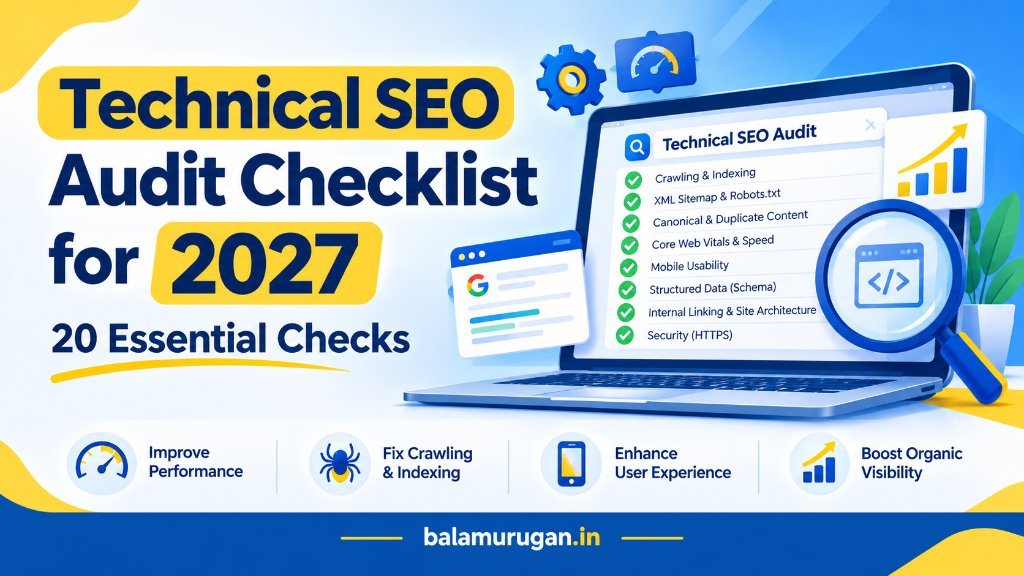
Search engine optimization is not just about publishing content and building backlinks. Your website also needs a strong technical foundation to help search engines crawl, understand, index, and display its pages correctly.
Even if your website has high quality content, technical issues such as broken links, duplicate pages, slow loading speed, incorrect canonical tags, and indexing problems can affect its organic search performance.
A technical SEO audit helps identify these problems and provides a clear action plan to improve website health.
In this guide, we will cover a practical technical SEO audit checklist for 2027, including 20 essential checks, recommended tools, common mistakes, and actionable solutions.
Table of Contents
- What Is a Technical SEO Audit?
- Why Is a Technical SEO Audit Important?
-
Technical SEO Audit Checklist: 20 Essential Checks for 2027
- 1. Check Website Crawling Issues
- 2. Check Website Indexing Status
- 3. Optimize Your XML Sitemap
- 4. Review Your Robots.txt File
- 5. Fix Broken Internal Links
- 6. Implement Proper Canonical Tags
- 7. Fix Redirect Issues
- 8. Improve Website Loading Speed
- 9. Optimize Core Web Vitals
- 10. Check Mobile Usability
- 11. Secure Your Website With HTTPS
- 12. Optimize Your URL Structure
- 13. Fix Duplicate Content Issues
- 14. Implement Structured Data and Schema Markup
- 15. Improve Your Internal Linking Structure
- 16. Review Your Website Architecture
- 17. Optimize Image SEO
- 18. Check JavaScript Rendering
- 19. Monitor HTTP Status Codes
- 20. Monitor Technical SEO Performance Regularly
- Best Technical SEO Audit Tools for 2027
- Common Technical SEO Mistakes to Avoid
- Technical SEO Audit Checklist: Quick Review
- Frequently Asked Questions About Technical SEO
- Final Thoughts
What Is a Technical SEO Audit?
A technical SEO audit is the process of evaluating a website's technical elements to identify issues that may prevent search engines from crawling, rendering, indexing, and understanding its pages.
It involves checking website structure, page speed, mobile usability, XML sitemaps, robots.txt, canonical tags, redirects, structured data, internal links, and other technical factors.
The main objective is to make your website accessible to search engines and provide a better experience for visitors.
Why Is a Technical SEO Audit Important?
Regular technical SEO audits help identify problems that may affect your website's organic visibility. Here are some important benefits:
- Improve website crawling: A properly structured website helps search engine crawlers find important pages and understand their relationships.
- Identify indexing problems: An audit helps identify pages that are blocked, excluded, duplicated, or not indexed by Google.
- Improve website performance: Fixing loading speed and Core Web Vitals issues can improve the experience for website visitors.
- Fix technical errors: You can identify broken links, redirect chains, server errors, incorrect canonical tags, and other website issues.
- Improve website structure: A logical website architecture makes it easier for users and search engines to navigate your website.
- Support organic search visibility: A technically accessible website gives search engines a better opportunity to discover and evaluate your content. However, technical SEO improvements alone do not guarantee higher rankings.
Technical SEO Audit Checklist: 20 Essential Checks for 2027
Follow these 20 checks to evaluate your website's technical SEO performance.
1. Check Website Crawling Issues
Search engine crawlers need to access your website pages to understand their content. If important pages cannot be crawled, search engines may not discover their content properly.
What to check:
- Check whether important pages can be crawled by Googlebot.
- Identify pages blocked by robots.txt.
- Review crawl errors in Google Search Console.
- Check whether important internal pages have crawlable links.
- Identify unnecessary URLs that create crawl inefficiencies.
Recommended tools: Google Search Console and Screaming Frog SEO Spider.
2. Check Website Indexing Status
Crawling and indexing are different processes. A page can be crawled without being indexed. Check whether your important landing pages, service pages, category pages, and blog posts are indexed in Google.
What to check:
- Review the Page Indexing report in Google Search Console.
- Identify pages marked as Crawled, currently not indexed.
- Check pages marked as Discovered, currently not indexed.
- Identify pages excluded because of noindex directives.
- Review duplicate pages and Google-selected canonical URLs.
- Use the URL Inspection tool to investigate individual URLs.
Recommended tool: Google Search Console.
3. Optimize Your XML Sitemap
An XML sitemap provides search engines with information about the important URLs on your website. A properly maintained sitemap helps search engines discover your important pages.
What to check:
- Include important, indexable canonical URLs.
- Remove redirected URLs.
- Remove URLs returning 404 or other error responses.
- Avoid including pages with noindex directives.
- Update the sitemap when important pages are added or removed.
- Submit the sitemap through Google Search Console.
- For large websites, consider using separate sitemaps for pages, blogs, products, and other content types.
Recommended tools: Google Search Console and XML Sitemap Generator.
4. Review Your Robots.txt File
The robots.txt file provides crawling instructions to search engine crawlers. Incorrect rules can accidentally prevent crawlers from accessing important website resources or pages.
What to check:
- Make sure important sections are not accidentally blocked.
- Review Disallow directives.
- Check whether CSS and JavaScript resources needed for rendering are accessible.
- Include your XML sitemap location where appropriate.
- Test the file before making changes.
Remember that robots.txt is not a reliable method for preventing a URL from appearing in search results. Use appropriate access controls or noindex directives when necessary.
Recommended tools: Google Search Console and robots.txt testing tools.
5. Fix Broken Internal Links
Broken internal links direct visitors and crawlers to pages that no longer exist or return errors. They can create a poor navigation experience and make it harder to discover important content.
What to check:
- Identify internal links returning 404 errors.
- Update links pointing to redirected URLs.
- Remove links to deleted pages.
- Replace broken links with relevant working pages.
- Review navigation menus and footer links.
Recommended tool: Screaming Frog SEO Spider.
6. Implement Proper Canonical Tags
Canonical tags help search engines understand which URL should be treated as the preferred version when similar or duplicate URLs exist. Incorrect canonical tags can create indexing problems.
What to check:
- Use the correct canonical URL on important pages.
- Avoid pointing every page to the homepage.
- Ensure canonical URLs return a successful status code.
- Use consistent HTTPS and preferred domain versions.
- Check whether canonical URLs match your sitemap URLs.
- Review canonical tags on filtered and parameter-based URLs.
For example, if your preferred page is https://example.com/technical-seo-guide/, its canonical tag should point to that preferred URL.
Recommended tools: Screaming Frog SEO Spider and Google Search Console.
7. Fix Redirect Issues
Redirects help send visitors and search engines from old URLs to relevant new URLs. Incorrect redirects can waste crawl resources and create navigation problems.
What to check:
- Use 301 redirects for permanently moved pages.
- Avoid redirect chains.
- Fix redirect loops.
- Redirect deleted pages to genuinely relevant alternatives where appropriate.
- Update internal links to point directly to final destination URLs.
- Check HTTP to HTTPS redirects.
- Maintain redirects during website migrations.
Do not redirect every deleted URL to the homepage. Use a relevant destination or allow the page to return a 404 or 410 response when appropriate.
Recommended tool: Screaming Frog SEO Spider.
8. Improve Website Loading Speed
Website loading speed affects user experience and can influence how visitors interact with your website. Slow pages may increase frustration and reduce engagement.
What to check:
- Compress large images.
- Reduce unnecessary JavaScript.
- Minimize unused CSS.
- Enable browser caching.
- Use an efficient hosting environment.
- Implement suitable image formats such as WebP or AVIF.
- Use a content delivery network when appropriate.
Recommended tools: Google PageSpeed Insights and Lighthouse.
9. Optimize Core Web Vitals
Core Web Vitals are Google's user experience metrics that measure loading performance, interactivity, and visual stability.
| Metric | What it measures | Good target |
|---|---|---|
| LCP | Largest Contentful Paint | 2.5 seconds or less |
| INP | Interaction to Next Paint | 200 milliseconds or less |
| CLS | Cumulative Layout Shift | 0.1 or less |
What to check:
- Identify slow loading elements.
- Optimize large images and hero sections.
- Reduce unnecessary JavaScript execution.
- Improve server response time.
- Reserve space for images and advertisements.
- Avoid unexpected layout shifts.
Evaluate field data alongside laboratory testing. PageSpeed Insights and Google Search Console can help identify performance opportunities.
Recommended tools: Google PageSpeed Insights and Google Search Console.
10. Check Mobile Usability
Google primarily uses the mobile version of website content for indexing. Your website should provide a consistent and accessible experience across mobile devices.
What to check:
- Use responsive website design.
- Ensure text is readable without zooming.
- Avoid horizontal scrolling.
- Make buttons and links easy to tap.
- Check mobile navigation.
- Ensure important content is available on mobile.
- Verify that images and other elements fit the screen.
- Test important pages on different screen sizes.
Recommended tools: Chrome DevTools and Google Search Console.
11. Secure Your Website With HTTPS
HTTPS protects communication between your website and visitors. A secure website is an essential technical requirement for maintaining user trust.
What to check:
- Install a valid SSL certificate.
- Redirect HTTP URLs to HTTPS.
- Update internal links to HTTPS.
- Fix mixed content warnings.
- Ensure canonical tags use HTTPS.
- Update XML sitemap URLs.
- Check that all important resources load securely.
Recommended tools: SSL Labs and browser security indicators.
12. Optimize Your URL Structure
A clear URL structure helps users and search engines understand the organization of your website.
What to check:
- Keep URLs short and descriptive.
- Use relevant keywords naturally.
- Avoid unnecessary URL parameters.
- Use lowercase URLs consistently.
- Avoid unnecessary special characters.
- Maintain a logical URL hierarchy.
- Avoid changing existing URLs without a valid reason and redirect plan.
Example: Good URL: https://example.com/technical-seo-audit-checklist/. Avoid unnecessarily complicated URLs containing multiple parameters or random strings.
13. Fix Duplicate Content Issues
Duplicate content occurs when substantially similar content is available through multiple URLs. It can make it difficult for search engines to identify the preferred page.
What to check:
- Identify duplicate page titles and content.
- Review HTTP and HTTPS versions.
- Check www and non-www versions.
- Review trailing slash inconsistencies.
- Check URL parameters.
- Use canonical tags where appropriate.
- Consolidate overlapping pages when they serve the same search intent.
Recommended tools: Screaming Frog SEO Spider and Ahrefs.
14. Implement Structured Data and Schema Markup
Structured data helps search engines understand specific information about your website content. Depending on the page type and eligibility, it may also make your pages eligible for certain rich search results.
Useful schema types include:
- Organization
- LocalBusiness
- Article
- BreadcrumbList
- Product
- Service, where supported by applicable vocabulary and search features
What to check:
- Select schema relevant to the page content.
- Ensure structured data matches visible content.
- Avoid adding misleading information.
- Check required properties.
- Fix validation errors.
- Review eligibility for supported Google search features.
Adding schema does not guarantee rich results or improved rankings.
Recommended tools: Google Rich Results Test and Schema Markup Validator.
15. Improve Your Internal Linking Structure
Internal links connect related pages within your website. A strong internal linking structure helps visitors navigate your content and gives search engines additional ways to discover important pages.
What to check:
- Link related blog posts naturally.
- Link supporting articles to relevant pillar pages.
- Use descriptive anchor text.
- Avoid unnecessary links.
- Identify important pages with very few internal links.
- Fix broken internal links.
- Keep important pages accessible within a logical number of clicks.
For example, a technical SEO audit article can link to related guides about XML sitemaps, robots.txt, canonical tags, and Core Web Vitals.
Recommended tools: Screaming Frog SEO Spider and Ahrefs.
16. Review Your Website Architecture
Website architecture refers to how pages are organized and connected. A clear structure helps visitors find information and supports efficient crawling.
What to check:
- Organize pages into relevant categories.
- Create clear navigation menus.
- Maintain a logical hierarchy.
- Avoid unnecessary nested folders.
- Connect related service pages and blog posts.
- Ensure important pages are not isolated.
- Add breadcrumb navigation where useful.
For example: Home → SEO Services → Technical SEO Services → Technical SEO Audit. This structure makes the relationship between pages easier to understand.
17. Optimize Image SEO
Images contribute to website performance and accessibility. Poorly optimized images can slow down pages and make visual content harder to understand.
What to check:
- Use descriptive image file names.
- Add meaningful alt text.
- Compress image files.
- Use WebP or AVIF where suitable.
- Implement responsive images.
- Specify image dimensions.
- Use lazy loading for below-the-fold images.
- Avoid lazy loading the main above-the-fold image when it delays LCP.
Example: Instead of IMG_1234.jpg, use technical-seo-audit-checklist.jpg. Write alt text that accurately describes the image rather than filling it with keywords.
Recommended tools: Google PageSpeed Insights and image optimization tools.
18. Check JavaScript Rendering
Modern websites frequently use JavaScript frameworks to display content and interactive elements. However, rendering problems can make important content difficult for search engines to access.
What to check:
- Confirm important content is available in the rendered HTML.
- Check whether navigation links are accessible.
- Verify that important page elements render correctly.
- Avoid relying entirely on user interactions to expose essential content.
- Check JavaScript errors.
- Review rendering differences between source HTML and rendered HTML.
If your website uses React, Next.js, Angular, or another JavaScript framework, pay particular attention to rendering and metadata implementation.
Recommended tools: Google Search Console URL Inspection and Chrome DevTools.
19. Monitor HTTP Status Codes
HTTP status codes tell browsers and search engines what happened when they requested a URL. Incorrect status codes can affect crawling and indexing.
| Status code | Meaning | What to do |
|---|---|---|
| 200 | Successful request | Keep for valid pages |
| 301 | Permanent redirect | Use for permanently moved URLs |
| 302 | Temporary redirect | Use when the move is temporary |
| 404 | Page not found | Fix or redirect when appropriate |
| 410 | Page permanently removed | Use when content is intentionally gone |
| 500 | Internal server error | Investigate server problems |
| 503 | Service unavailable | Investigate temporary availability issues |
What to check:
- Identify internal URLs returning 4xx errors.
- Review 5xx server errors.
- Find unnecessary redirects.
- Check important landing pages.
- Monitor server availability.
- Verify that valid pages return HTTP 200.
Recommended tools: Screaming Frog SEO Spider and Google Search Console.
20. Monitor Technical SEO Performance Regularly
Technical SEO is an ongoing process. Websites change whenever you publish content, update plugins, redesign pages, modify URLs, or introduce new functionality. Regular monitoring helps you identify problems before they affect important pages.
What to monitor:
- Indexed and non-indexed pages.
- Crawl errors.
- XML sitemap status.
- Core Web Vitals.
- Broken internal links.
- Redirect issues.
- Website loading speed.
- Canonical tag implementation.
- Structured data errors.
- Organic clicks and impressions.
Use Google Search Console, Google Analytics 4, and website crawling tools to track performance.
Best Technical SEO Audit Tools for 2027
You do not need dozens of tools to perform a technical SEO audit. Start with these useful tools:
| Tool | Main purpose |
|---|---|
| Google Search Console | Monitor indexing, crawling, and search performance |
| Screaming Frog SEO Spider | Identify technical website issues |
| Google PageSpeed Insights | Analyze page speed and Core Web Vitals |
| Google Lighthouse | Evaluate website performance and accessibility |
| Ahrefs | Analyze backlinks, site health, and technical issues |
| Semrush Site Audit | Identify technical and on-page SEO problems |
| Rich Results Test | Validate supported structured data features |
| Schema Markup Validator | Validate schema markup |
| Chrome DevTools | Inspect rendering, network requests, and performance |
| SSL Labs | Check SSL certificate configuration |
For most small and medium-sized websites, Google Search Console, Screaming Frog, and PageSpeed Insights provide a useful starting point.
Common Technical SEO Mistakes to Avoid
Even websites with good content and backlinks can experience technical problems. Avoid these common mistakes:
- Blocking important website pages through robots.txt.
- Forgetting to update XML sitemaps.
- Using incorrect canonical URLs.
- Redirecting every deleted page to the homepage.
- Ignoring broken internal links.
- Publishing duplicate URLs.
- Using oversized images.
- Ignoring mobile website performance.
- Implementing incorrect schema markup.
- Failing to monitor indexing reports.
Review these issues whenever you perform a technical SEO audit or make major website changes.
Technical SEO Audit Checklist: Quick Review
Use this quick checklist when reviewing your website:
- Check website crawling issues.
- Review website indexing status.
- Optimize the XML sitemap.
- Review robots.txt.
- Fix broken internal links.
- Implement proper canonical tags.
- Fix redirect chains and loops.
- Improve website loading speed.
- Optimize Core Web Vitals.
- Check mobile usability.
- Verify HTTPS configuration.
- Optimize URL structure.
- Fix duplicate content.
- Validate structured data.
- Improve internal linking.
- Review website architecture.
- Optimize images.
- Check JavaScript rendering.
- Monitor HTTP status codes.
- Schedule regular technical SEO audits.
Frequently Asked Questions About Technical SEO
A technical SEO audit is the process of checking a website's technical performance, including crawling, indexing, page speed, mobile usability, redirects, canonical tags, and structured data.
For most small and medium-sized websites, a detailed audit every three to six months is a reasonable starting point. Large websites and frequently updated ecommerce websites may need more frequent monitoring.
Google Search Console, Screaming Frog SEO Spider, Google PageSpeed Insights, Ahrefs, and Semrush are useful tools for identifying technical SEO issues.
Technical SEO helps search engines access and understand your website. Fixing technical problems can support organic search performance, but rankings also depend on content relevance, quality, competition, links, and other factors.
Crawling is the process through which search engines discover and access website URLs. Indexing is the process of analyzing and storing eligible content in a search engine's index.
Core Web Vitals remain useful measures of user experience. Focus on good LCP, INP, and CLS performance while also addressing the broader quality and usability of your website.
A technically accessible website helps search systems retrieve and process its content. However, technical SEO alone does not guarantee that your content will appear in AI-generated answers. Clear content, relevant information, credibility, and accessibility also matter.
Yes. You can start with free tools such as Google Search Console, Google PageSpeed Insights, Google Lighthouse, and the Rich Results Test. Paid tools can provide additional crawling and competitor analysis features.
Key Takeaways
Technical SEO provides the essential foundation for crawling, indexing, and organic visibility. Even exceptional content underperforms if search crawlers face redirect chains, index bloat, or slow loading speeds.
- Prioritize Crawlability & Indexation: Verify robots.txt accessibility, submit clean XML sitemaps, and fix canonical conflicts.
- Meet Core Web Vitals Targets: Target LCP ≤ 2.5s, INP ≤ 200ms, and CLS ≤ 0.1 for optimal user experience and search ranking health.
- Audit Consistently: Perform full technical audits every 3 to 6 months to detect broken links, 404s, and mobile usability issues before they impact revenue.
Final Thoughts
Technical SEO is an important part of maintaining a healthy and search-friendly website. Even small technical problems can make it difficult for search engines to discover, crawl, and understand important pages.
Use this technical SEO audit checklist for 2027 to review your website regularly, identify issues, and prioritize improvements.
Start with crawling and indexing, then review your sitemap, robots.txt, canonical tags, page speed, mobile usability, structured data, and internal linking. A consistent technical SEO process can help create a stronger foundation for long-term organic search visibility.